
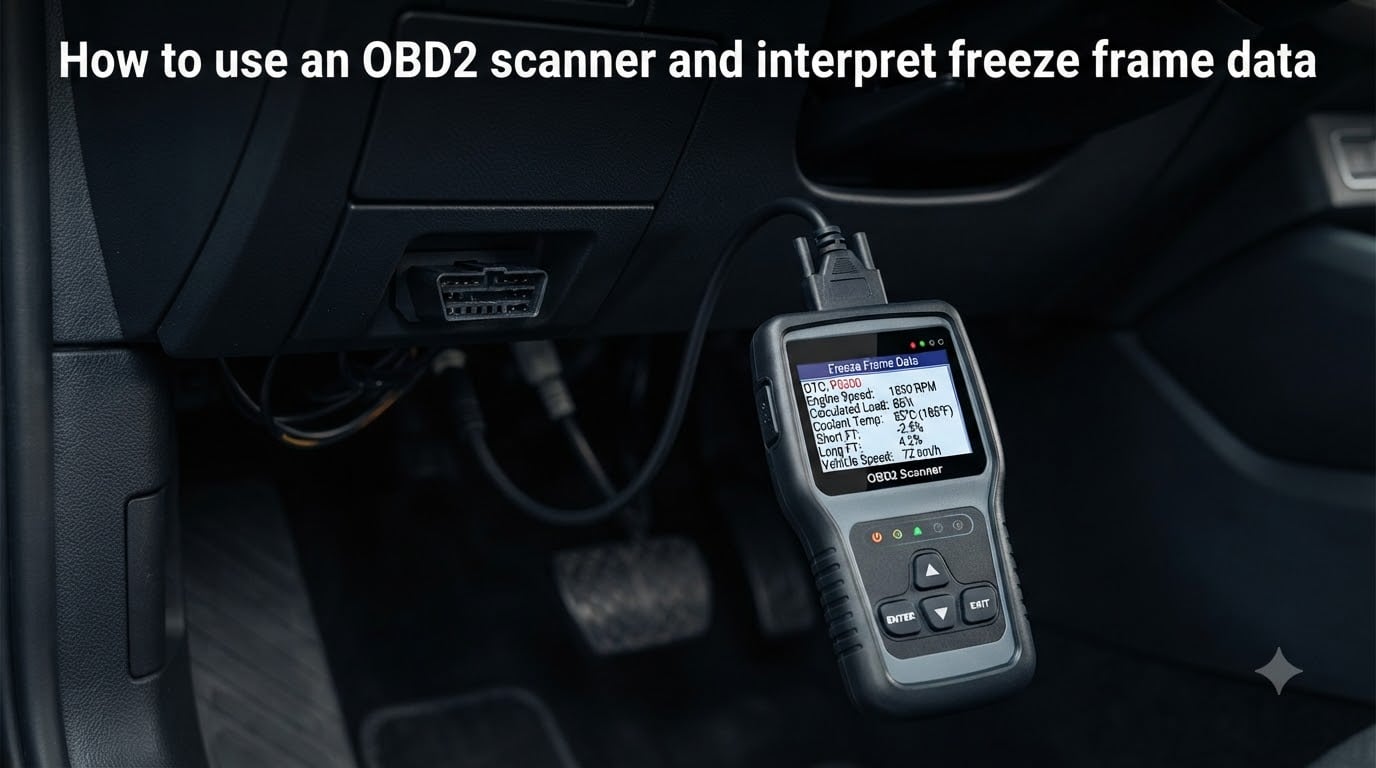
When your Check Engine Light comes on, the first thing you want to know is why it happened and what was going on at that exact moment. That is where freeze frame data comes in. Learning how to use an OBD2 scanner and interpret freeze frame data lets you see a snapshot of what your engine was doing the instant a problem was detected.
I have spent years diagnosing cars with OBD2 scanners, and freeze frame data is the single most underused diagnostic tool I see DIYers overlook. Most people read the code, clear it, and hope it does not come back. That approach leaves a lot of information on the table.
This guide walks you through everything from connecting your scanner to decoding each parameter in that freeze frame snapshot. You will learn what normal readings look like, how to spot the difference between a sensor glitch and a real problem, and how to piece together what actually happened when that light illuminated.
Whether you just bought your first scanner or you have been pulling codes for a while and want to dig deeper, this guide will help you get more out of every diagnostic session.
Table of Contents
What Is Freeze Frame Data?
Freeze frame data is a snapshot of your vehicle’s sensor readings and operating conditions captured by the Engine Control Unit (ECU) at the exact moment a diagnostic trouble code (DTC) is triggered. Think of it as a photograph of your engine’s vital signs taken the second a problem was detected.
When your car’s OBD2 system detects a malfunction, it does not just store a code. It also records key parameters like engine RPM, coolant temperature, vehicle speed, engine load, and fuel system status at that precise moment. This snapshot stays in the ECU’s memory until you clear it.
The reason this matters is simple: a code tells you what went wrong, but freeze frame data tells you what was happening when it went wrong. That context is often the difference between guessing at a fix and actually solving the problem.
Every OBD2-compliant vehicle sold in the United States since 1996 generates freeze frame data when a confirmed DTC is stored. The ECU prioritizes emissions-related codes, so the freeze frame attached to those codes is what you will typically see first.
How Freeze Frame Data Works in Your Vehicle
Your vehicle’s ECU constantly monitors dozens of sensors while the engine runs. It checks oxygen sensor readings, fuel trim adjustments, coolant temperature, throttle position, and many other parameters hundreds of times per second.
When the ECU detects a condition that falls outside acceptable limits, it logs a DTC and simultaneously captures the current values of critical parameters. This snapshot is the freeze frame. The ECU stores this data so a technician or DIYer can retrieve it later with a scanner.
Here is an important detail many people miss: the ECU only stores one freeze frame at a time for the highest priority DTC. If a second, lower-priority code triggers later, the original freeze frame stays. The ECU will only overwrite it if a higher priority fault occurs or if you manually clear the codes.
Some advanced scanners and factory-level diagnostic tools can access multiple freeze frames or additional test data through Mode $06, but for most DIY work, the single stored freeze frame is your primary diagnostic starting point.
How to Use an OBD2 Scanner and Interpret Freeze Frame Data?
Reading freeze frame data is straightforward once you know the steps. The process below works with most consumer-grade OBD2 scanners, though exact menu names vary by brand.
Step 1: Locate Your OBD2 Port
The OBD2 port is almost always located under the dashboard on the driver’s side, within about two feet of the steering column. Look for a trapezoid-shaped 16-pin connector. In some vehicles it may be tucked behind a plastic panel or near the fuse box.
Step 2: Connect Your Scanner
With the engine off, push the scanner connector firmly into the port. It only fits one way, so do not force it. Once connected, you should see the scanner power on. If it does not light up, check that the key is turned to the ON position.
Step 3: Turn the Ignition to ON (Engine Off)
Turn the key to the ON position without starting the engine. This powers up the ECU and allows the scanner to communicate. Most scanners will not read data with the key in the OFF position.
Step 4: Read and Record Stored DTCs First
Before looking at freeze frame data, read and write down all stored trouble codes. You need the code to understand what fault triggered the freeze frame. Note whether each code is confirmed, pending, or stored, since that affects what freeze frame data will be available.
Step 5: Navigate to Freeze Frame Data
On most scanners, freeze frame data is found under a menu labeled Freeze Frame, Snapshot, or sometimes under the DTC information submenu. Select this option and wait for the scanner to pull the stored snapshot from the ECU.
If your scanner does not have a freeze frame option, it may only support basic code reading. Budget scanners under a certain tier sometimes skip freeze frame capability entirely. This is a common frustration I see in forums where people cannot figure out why they cannot access the data.
Step 6: Record Every Parameter
Write down or photograph every parameter shown in the freeze frame. Do not skip any values, even if they seem irrelevant. The parameter you ignore is often the one that cracks the case.
Step 7: Interpret the Values
Compare each parameter to known normal ranges. Ask yourself whether the readings make sense for the conditions. If the freeze frame shows a coolant temperature of 170 degrees Fahrenheit on a cold start after only 30 seconds of running, something does not add up. That kind of discrepancy points you toward the faulty sensor or system.
Key Parameters in Freeze Frame Data Explained
Freeze frame data typically includes a standard set of parameters. Here is what each one means and what to look for.
Engine RPM
This shows how fast the engine was turning when the fault occurred. A misfire code captured at 650 RPM during idle tells a different story than one captured at 4,000 RPM under heavy acceleration. Normal idle is typically 600 to 900 RPM depending on the vehicle.
Calculated Engine Load
Engine load represents how hard the engine is working, expressed as a percentage. At idle, expect 15 to 30 percent. Under hard acceleration, it can reach 80 to 100 percent. A high load reading at idle could indicate a vacuum leak, restricted exhaust, or dragging brake.
Engine Coolant Temperature
Normal operating temperature is 195 to 220 degrees Fahrenheit for most vehicles. If the freeze frame shows a low temperature like 160 degrees after extended driving, the thermostat may be stuck open. This is exactly what a P0128 code would show.
Vehicle Speed
This tells you whether the fault occurred while parked, in city traffic, or at highway speeds. A misfire at 70 mph has different causes than one at 0 mph in your driveway.
Throttle Position
Throttle position shows how far the throttle plate is open, usually as a percentage. At idle it should be 3 to 5 percent. If the freeze frame shows 25 percent throttle at idle, the throttle body may be dirty or there could be a vacuum leak forcing the ECU to compensate.
Fuel System Status (Open Loop or Closed Loop)
This is one of the most telling parameters. Closed loop means the ECU is using oxygen sensor feedback to adjust fuel mixture, which is normal for warmed-up engines. Open loop means the ECU is running on preset values, which is normal during cold starts but abnormal on a warm engine. If your freeze frame shows open loop on a warm engine, the oxygen sensor may not be functioning.
Short Term and Long Term Fuel Trim
Fuel trim values show how much the ECU is adjusting fuel delivery from the baseline. Short term fuel trim (STFT) reflects immediate adjustments, while long term fuel trim (LTFT) reflects learned trends. Both should stay within plus or minus 10 percent. A positive fuel trim of 25 percent means the ECU is adding a lot of fuel, which points to a lean condition caused by a vacuum leak, low fuel pressure, or a bad mass airflow sensor.
Intake Air Temperature
This should be close to ambient temperature. Readings way off from actual outside temperature suggest a faulty intake air temperature sensor.
Battery Voltage
With the engine running, expect 13.5 to 14.8 volts. Below 12 volts with the engine on suggests a charging system problem that could cause all sorts of phantom codes.
Understanding DTC Priority in Freeze Frame
The ECU assigns a priority level to each DTC it detects. When multiple faults occur, only the highest priority DTC’s freeze frame is stored and retained. Lower priority freeze frames get overwritten or are never stored in the first place.
Emissions-related powertrain codes have the highest priority. A misfire code (P0300 series) or a fuel system code (P0170 series) will almost always take priority over a body code or chassis code. Within the powertrain category, codes that could cause immediate emissions increases or catalyst damage rank highest.
This matters because if you see multiple codes but only one freeze frame, the freeze frame belongs to the highest priority code. You should address that code first, then clear and recheck to see if new freeze frames appear for the remaining codes.
Freeze Frame Data vs Live Data: What Is the Difference?
This is one of the most common sources of confusion I see in mechanic forums. Freeze frame data and live data are completely different tools that serve different purposes.
Live data is real-time. It shows current sensor readings as the engine runs. You use live data to watch how sensors behave under different conditions, test components, and verify repairs. It updates continuously.
Freeze frame data is historical. It shows what the sensors read at the moment a specific fault occurred. You use it to understand the conditions that triggered a code, which helps you reproduce or diagnose the problem.
Use freeze frame when you are trying to figure out why a code was set. Use live data when you are trying to confirm a component is working or verify a repair fixed the issue. Many diagnostic situations call for both.
Practical Examples: Diagnosing Real Problems with Freeze Frame
Let us walk through three real-world scenarios where freeze frame data makes all the difference in finding the actual problem.
Example 1: P0171 Fuel System Too Lean
A driver pulls a P0171 code (System Too Lean Bank 1) and wants to know if it is a vacuum leak, a bad mass airflow sensor, or low fuel pressure. The freeze frame shows the following: engine RPM at 750, engine load at 32 percent, coolant temp at 192 degrees, fuel system in closed loop, STFT at plus 25 percent, and LTFT at plus 18 percent.
That fuel trim data is the key. The ECU is adding 25 percent more fuel than baseline, which means the engine is getting too much air or not enough fuel. Since this is happening at idle with relatively high engine load, a vacuum leak is the most likely culprit. If the fuel trims were only high under acceleration, low fuel pressure would be more suspect.
Example 2: P0300 Random Misfire
A misfire code needs context badly. The freeze frame shows RPM at 2,800, engine load at 78 percent, vehicle speed at 55 mph, coolant temp at 205 degrees, and fuel system in closed loop. This tells you the misfire happened under load at highway speeds.
Misfires under load typically point to ignition components. Spark plugs, ignition coils, or plug wires are the usual suspects. If the misfire had occurred at idle on a cold engine, you would think differently and might suspect a vacuum leak or carbon buildup.
Example 3: P0128 Coolant Thermostat Below Regulating Temperature
The freeze frame for a P0128 shows coolant temperature stuck at 158 degrees after 20 minutes of driving. Normal operating temperature should be around 200 degrees. This confirms the thermostat is stuck open and the engine never reaches proper operating temperature. The fix is straightforward: replace the thermostat.
How to Clear Freeze Frame Data?
Clearing freeze frame data is easy, but you should only do it after recording everything. Once you clear it, that snapshot is gone for good.
Here is the proper procedure. First, write down or photograph all DTCs and freeze frame data. Second, navigate to the Clear Codes or Erase Codes function on your scanner. Third, confirm the action when prompted. Fourth, turn the key off, wait 10 seconds, then turn it back on to verify the codes are gone.
After clearing, the ECU enters a relearn period. You will need to complete a full drive cycle, which typically involves a cold start, city driving, and highway driving, before all readiness monitors reset. Do not clear codes right before an emissions test, as incomplete readiness monitors will cause an automatic fail.
One warning from experience: many people clear codes without recording the freeze frame first, then the code comes back later and they have lost the diagnostic snapshot. Always capture the data before clearing anything.
Troubleshooting: Why Your Freeze Frame Might Be Empty
Sometimes you pull up freeze frame data and see nothing. Here are the most common reasons and what to do about them.
The most common reason is that there are no stored powertrain DTCs. If your scanner shows no powertrain DTCs or freeze frame data, it simply means the ECU has no confirmed faults stored. This is actually good news. If your Check Engine Light is on but there are no codes, the light may be indicating a non-powertrain issue or there could be a bulb circuit problem.
Another reason is that codes were recently cleared. If someone, perhaps a shop or a previous owner, cleared the codes, the freeze frame went with them. You will need to drive until the condition reoccurs and a new code sets.
Pending codes sometimes do not generate freeze frame data. A pending code means the ECU detected a potential fault but has not yet confirmed it. Freeze frames are typically only stored for confirmed codes. If you only see pending codes, drive the vehicle under the conditions that triggered the fault and recheck.
Finally, some basic code readers simply do not support freeze frame access. If your scanner reads codes but has no freeze frame menu, you need a scanner with that capability. Most mid-range scanners and above include it.
Tips for Getting the Most Out of Freeze Frame Data
Over years of scanning vehicles, I have developed a few habits that make freeze frame interpretation much more effective. These tips will save you time and help you avoid misdiagnosis.
Always note the conditions when the Check Engine Light came on. Was it cold? Hot? During acceleration? At idle? After a fill-up? This information pairs with the freeze frame to give you the full picture. I keep a note in my phone whenever a light comes on.
Record freeze frame data before doing anything else. Do not clear codes, do not disconnect the battery, do not start replacing parts. Get the snapshot first. You can always clear codes later, but you cannot recover freeze frame data once it is gone.
Compare freeze frame data across multiple drive cycles if the problem is intermittent. If the same code keeps coming back with the same freeze frame conditions, you have a consistent pattern. If the freeze frame conditions change each time, you may have multiple contributing factors.
Use a checklist when reviewing freeze frame data. Work through each parameter systematically: RPM, load, temperature, speed, throttle, fuel system status, fuel trims. Do not skip any. The parameter that looks slightly off is often your answer.
Remember that freeze frame data reflects what the ECU believed was happening based on sensor inputs. If a sensor itself is faulty, the freeze frame will show incorrect values. A coolant temperature sensor reading 40 degrees on a hot engine does not mean the engine was cold. It means the sensor or its wiring is bad. Always ask whether each reading makes physical sense.
Frequently Asked Questions
What type of DTC has the highest freeze frame priority?
Emissions-related powertrain DTCs have the highest freeze frame priority. Codes in the P0300 (misfire) and P0170 (fuel system) families typically take priority because they directly affect emissions output and catalyst health. When multiple codes are stored, only the highest priority DTC’s freeze frame is retained.
Is a freeze frame generated on an OBD II vehicle?
Yes. Every OBD2-compliant vehicle (1996 and newer in the US) generates freeze frame data when a confirmed emissions-related DTC is stored. The ECU captures key sensor readings at the moment the fault is detected and saves them for later retrieval with a scanner.
How to clear freeze frame data?
To clear freeze frame data, first record all DTCs and freeze frame values. Then use your scanner’s Clear Codes or Erase Codes function. Confirm the action when prompted, turn the ignition off for 10 seconds, then back on to verify the codes and freeze frame are gone. Clearing freeze frame also clears the stored DTCs.
What is freeze frame data in OBD2?
Freeze frame data is a snapshot of vehicle sensor readings captured by the ECU at the exact moment a diagnostic trouble code is triggered. It includes parameters like engine RPM, coolant temperature, vehicle speed, engine load, throttle position, fuel system status, and fuel trim values. This snapshot helps diagnose the conditions that caused the fault.
How to access freeze frame data on a scan tool?
Connect your scanner to the OBD2 port under the dashboard, turn the ignition to ON, and read stored codes first. Then navigate to the Freeze Frame, Snapshot, or DTC Info menu on your scanner. Select the option to view freeze frame data and the scanner will display all stored parameters captured when the code was set.
What does no powertrain DTCs or Freeze Frame data mean?
This message means the ECU has no confirmed powertrain faults stored. There are no trouble codes and therefore no freeze frame snapshots to display. This is normal if no faults have been detected, or it can mean codes were recently cleared and have not yet reoccurred.
Conclusion
Knowing how to use an OBD2 scanner and interpret freeze frame data transforms you from someone who reads codes into someone who actually solves problems. The freeze frame gives you the context that a code alone cannot provide, showing exactly what your engine was doing the moment something went wrong.
Start by capturing every parameter before you clear anything. Compare readings to normal ranges. Look for values that do not make physical sense. Then use that information to guide your diagnosis instead of guessing at parts.
The more you practice reading freeze frame data, the faster and more accurate your diagnoses will become. Next time your Check Engine Light comes on, pull the freeze frame first and let the data tell you what happened.