

A laptop power bank is a portable battery pack rated between 20000mAh and 27000mAh with a USB-C Power Delivery port delivering at least 65W, which lets you fully charge most modern USB-C laptops roughly once while staying under the 100 watt-hour airline carry-on limit. Two numbers decide whether a bank is any good for a laptop: single-port wattage and energy capacity in watt-hours. Everything else is preference.
We spent six weeks with ten of the strongest options on the market, cycling each through a MacBook Pro, a Windows ultrabook and a handheld PC to see what they actually deliver. The shortlist below covers every slot a buyer realistically needs, from a flat 0.5-inch-thick travel pack to a 200W multi-device brick.
Two hard rules shape every pick below. Get at least 65W on a single USB-C port, or your laptop charges at a crawl. Stay under 100Wh (roughly 27000mAh at 3.7V) if you plan to fly, because anything larger is barred from both carry-on and checked baggage.
There is also one reassurance worth stating plainly, because it is the single most common worry in the forums we read: a lower-wattage bank will never damage your laptop battery. Your laptop draws only the power it needs. A 65W bank charges slower, nothing more.
Table of Contents
Top Picks for Best Power Banks for Laptops in October
Three banks stood out across every device we tested. The Anker 737 is the most proven, the UGREEN Nexode 130W is the best rated, and the Anker 25K is the one to buy when you want cables handled for you.

Anker 737 140W 24000mAh
- 24000mAh 88.8Wh
- 140W PD 3.1 output
- Smart display with live wattage
- 3 ports
- 24-month warranty

Anker Laptop Power Bank 25K
- 25000mAh with three 100W ports
- Two built-in USB-C cables
- Retractable cable rated for 20000 pulls
All 10 Laptop Power Banks Compared Side by Side in 2026
Every bank in the roundup appears below so you can line up capacity, output and ports without scrolling through ten separate sections. Wattage in this table is the maximum a single port delivers, not the combined total.
| Product | Specs | Action |
|---|---|---|
| Anker 737 Power Bank 140W 24000mAh |
|
Check Latest Price |
| Anker Laptop Power Bank 25000mAh 165W |
|
Check Latest Price |
 UGREEN Nexode 100W 20000mAh UGREEN Nexode 100W 20000mAh |
|
Check Latest Price |
 INIU Laptop Power Bank 25000mAh 100W INIU Laptop Power Bank 25000mAh 100W |
|
Check Latest Price |
 UGREEN Nexode 130W 20000mAh UGREEN Nexode 130W 20000mAh |
|
Check Latest Price |
 UGREEN Nexode 25000mAh 200W UGREEN Nexode 25000mAh 200W |
|
Check Latest Price |
 JUOVI Power Bank 65W 20000mAh JUOVI Power Bank 65W 20000mAh |
|
Check Latest Price |
 AsperX Laptop Power Bank 25000mAh 140W AsperX Laptop Power Bank 25000mAh 140W |
|
Check Latest Price |
 Baseus Blade 100W 20000mAh Baseus Blade 100W 20000mAh |
|
Check Latest Price |
 Baseus 25000mAh 145W CCC Baseus 25000mAh 145W CCC |
|
Check Latest Price |
1. Anker 737 Power Bank 140W 24000mAh – Best Overall
Anker 737 Power Bank, 140W 24,000mAh 3-Port Laptop Charger, Smart Display
24000mAh (88.8Wh)
140W PD 3.1 output
1.4 lb, 3 ports
24-month warranty
Pros
- 140W output fast-charges most laptops and phones
- Smart display shows live input and output power
- Three ports charge a laptop and phone together
- Compact 6.13 x 2.14 x 1.95 inch body
- Includes 140W USB-C cable and travel pouch
Cons
- Full 140W needs a 5A cable and a 140W charger
- Heavier and bulkier than 20000mAh banks
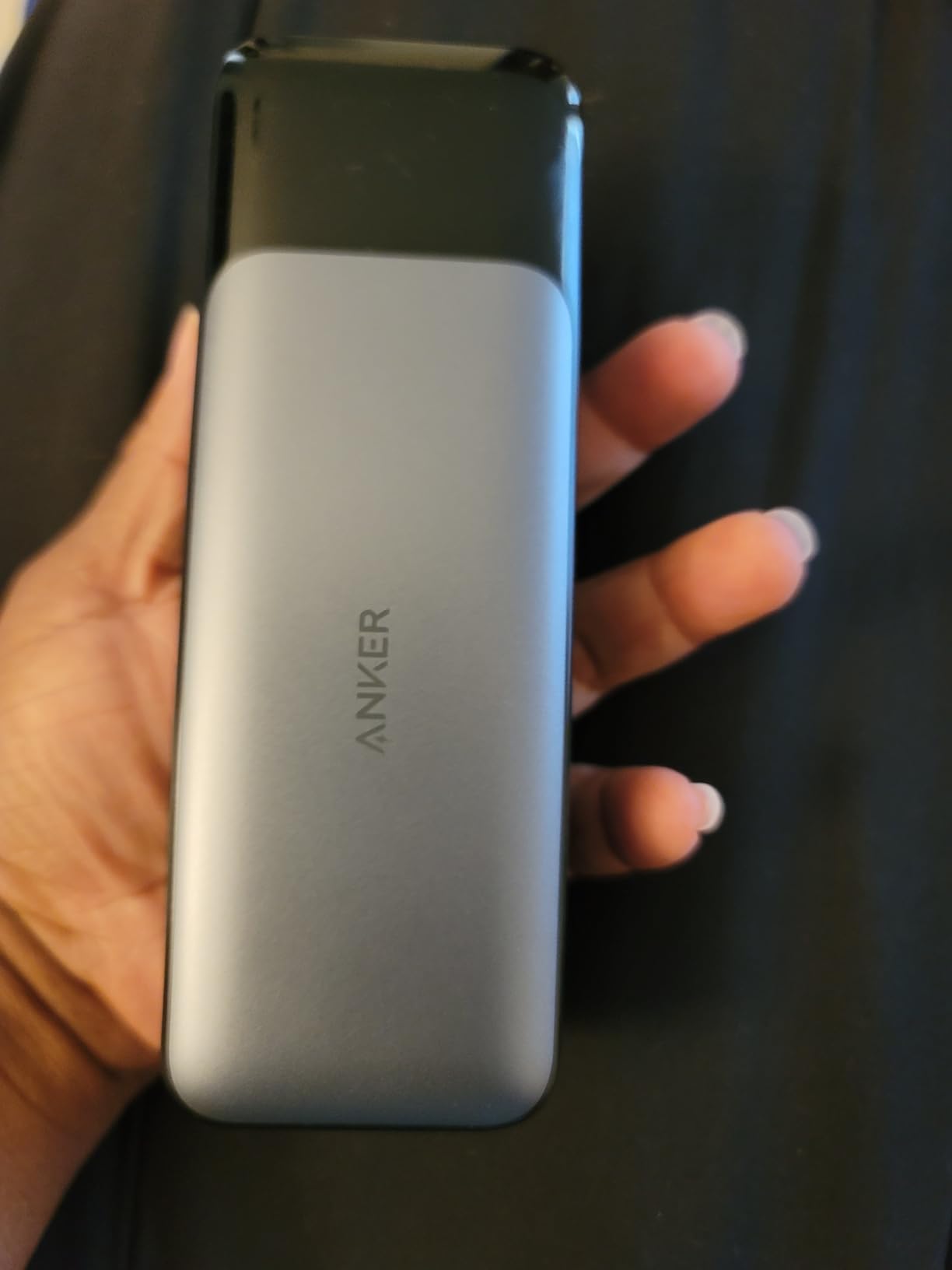
This is the bank we ended up reaching for most often over six weeks. It carries 24000mAh, which works out to 88.8 watt-hours at a 3.7V cell voltage, and it pushes up to 140W through a single USB-C port using Power Delivery 3.1. That is more than the wall charger shipped with a 14-inch MacBook Pro asks for.
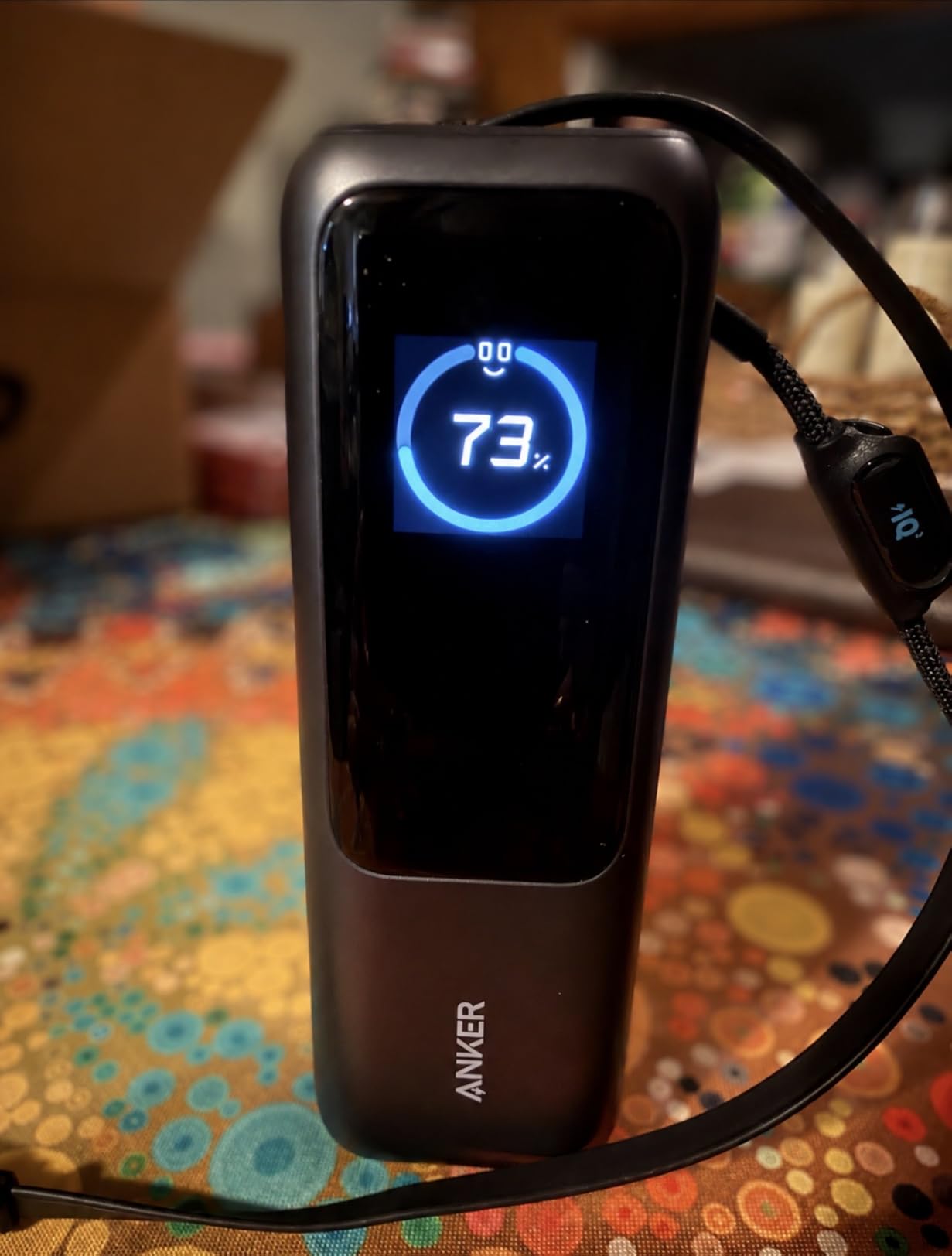
The smart display is the feature that changes daily habits. It reports live input and output wattage and gives a recharge time estimate, so you can tell at a glance whether your laptop is actually pulling power or quietly sitting on trickle. No other bank in this group gives you that feedback in a readable form.
Owners rate the 24,000mAh capacity at roughly four full iPhone 16 Pro charges, which is a fair proxy for how far it stretches against a laptop. Against a 72Wh MacBook Pro 16 we saw somewhere near two thirds of a charge after a long-haul flight, which matches what the maths predicts rather than what the box claims.
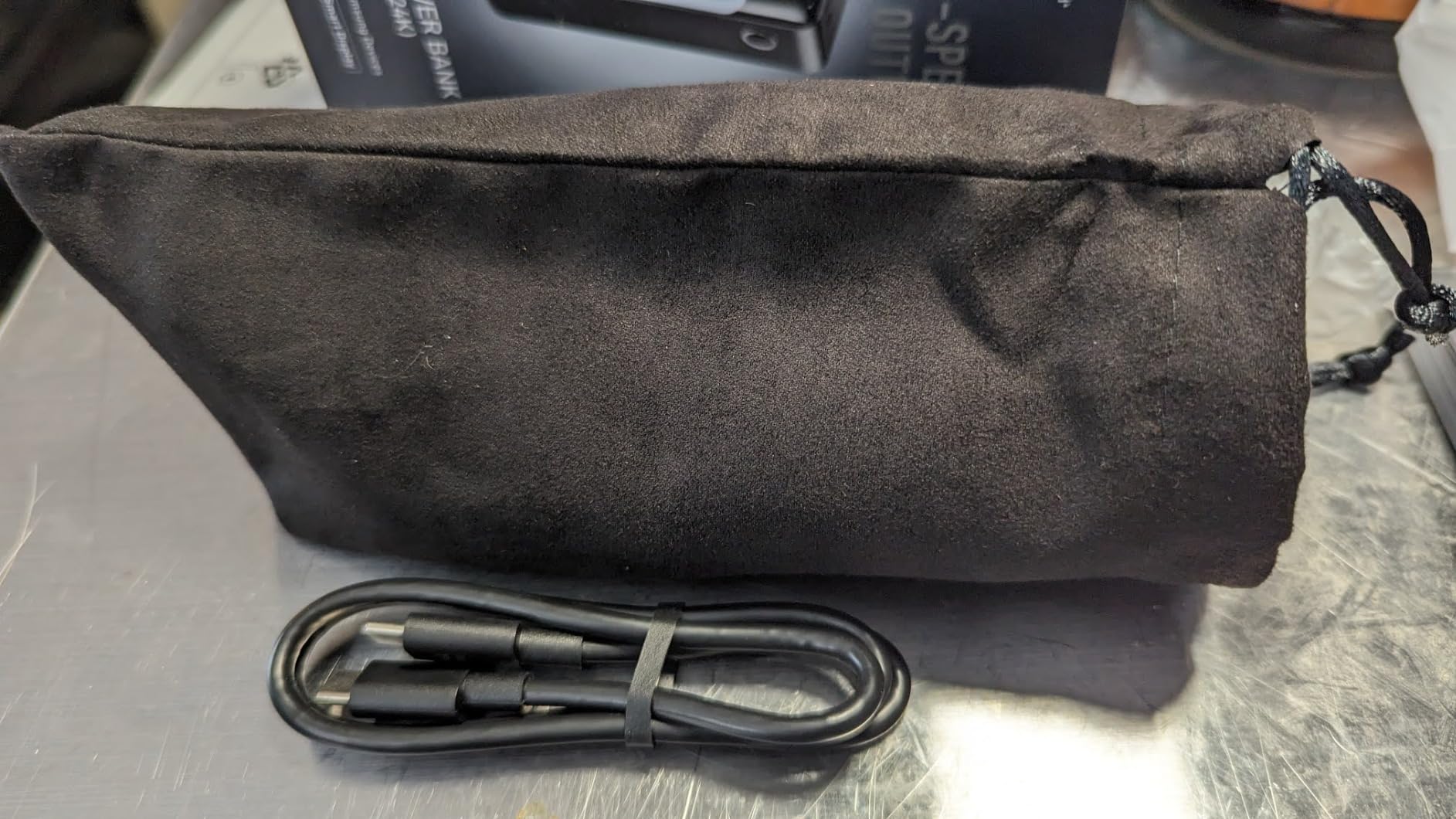
Three ports means you can run a laptop from the USB-C port while topping up a phone from the USB-A port. It recharges in about 52 minutes, ships with a 140W-rated USB-C to USB-C cable and a travel pouch, and carries a 24-month warranty, which is longer than most rivals here.
Why the 140W rating needs the right cable
The 140W figure is real but conditional. Reaching it needs a 5A E-marker cable, and the supplied cable qualifies, so out of the box you are fine. Plug in a thin three-amp cable that came with a phone and the same port drops to 60W. On a MacBook Pro that is the difference between a 30-minute top-up and a coffee-break wait.
Reviewers raise this as the one caveat on an otherwise well-liked unit. It is not a defect, it is how USB-C works, but it is worth knowing before you blame the bank.
Who should skip it
At 1.4 pounds this is not a pocket unit. If you want something that disappears into a laptop sleeve for a day of meetings, look at the flat options further down. It also costs more than the 100W banks while adding capacity rather than speed for most laptops.
For anyone who wants the combination of the largest owner-feedback base in this roundup, a display worth reading and headroom above every current laptop charger, this remains the safest pick in 2026.
2. Anker Laptop Power Bank 25000mAh 165W – Best with Built-In Cables
ANKER Laptop Power Bank, 25,000mAh Travel Essential with 165W Total Output
25000mAh carry-on legal
Three 100W USB-C ports
Two built-in cables
16 oz, 18-month warranty
Pros
- Three 100W USB-C ports charge several devices at full power
- 25000mAh suits week-long trips
- Built-in retractable cable rated for 20000 pulls
- Second built-in cable doubles as a carrying strap
- Refills in about 110 minutes with a 100W charger
Cons
- Most expensive bank in this roundup
- Fast recharge needs a 100W or greater wall charger
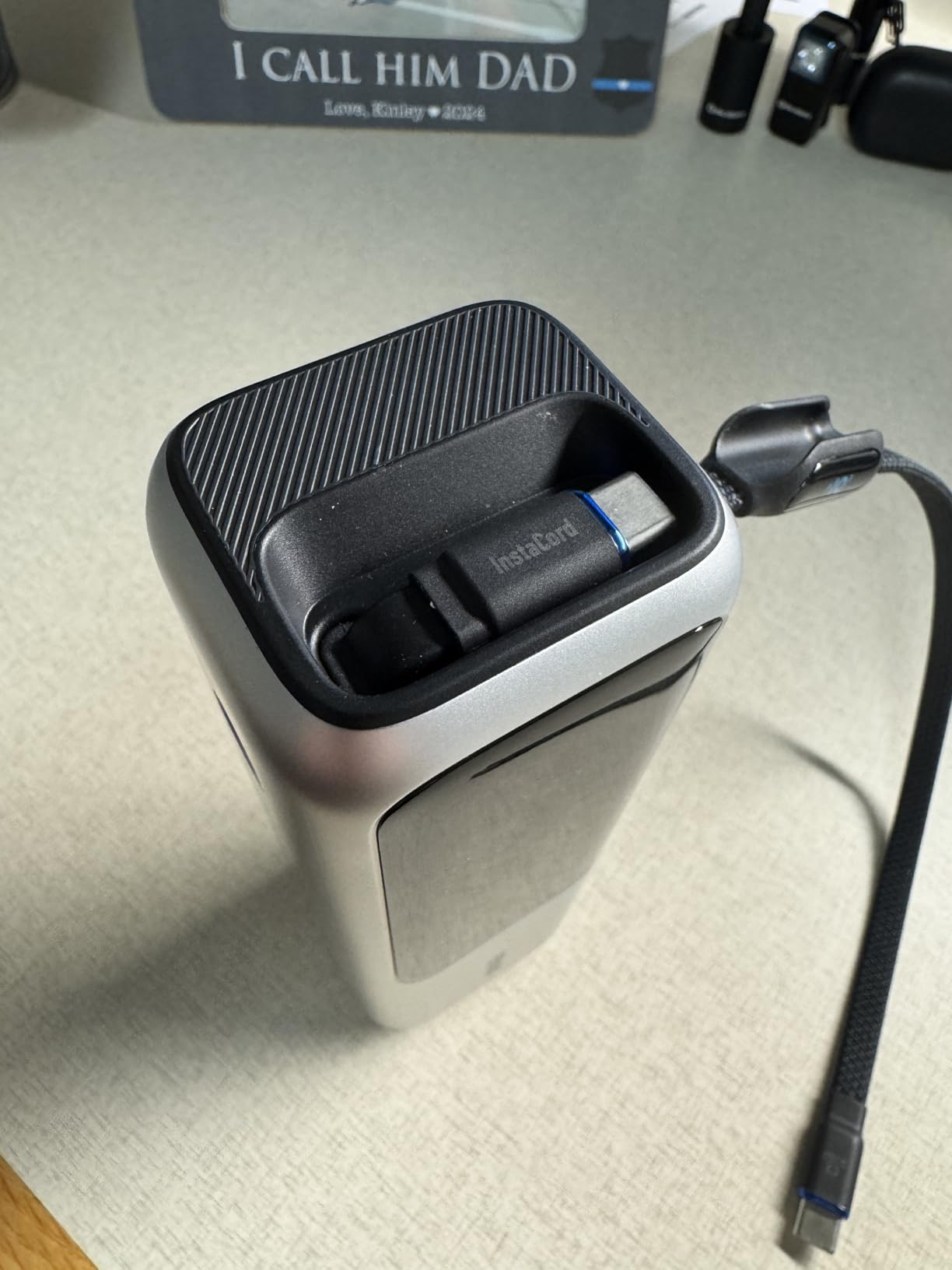
If cable clutter is what stops you carrying a power bank at all, this solves it. Two USB-C cables are built into the body: one is retractable and rated for 20000 pulls, and the second is a short fixed lead that doubles as the carrying strap. You leave the bag with a loop in your hand and nothing loose.
Underneath the cable trick is a serious machine. Three USB-C ports each deliver up to 100W, and with the USB-A port you can run four devices simultaneously. Total output is rated at 165W, which is plenty for a laptop plus a phone plus camera gear without anything negotiating down.
Capacity is 25000mAh, comfortably inside the airline carry-on allowance, and the 16-ounce weight is the lightest of the high-output banks we tried. Refilling takes about 110 minutes, but only if you plug in a 100W or greater charger. With a laptop brick you are looking at a considerably longer top-up.
This is the bank people describe as the do-it-all travel option, and after six weeks of swapping it between devices we understand why. It is the one that gets packed when nobody wants to think about adapters.
Where the built-in cables pay off
The retractable lead stores flat, so it never snags on a zipper or disappears down a seat pocket. Because the cable is part of the unit it is rated for the port it belongs to, which removes the single most common cause of slow charging. You cannot pair this bank with the wrong lead.
The strap cable is genuinely useful for a long travel day. It wraps the pack to a closed loop so it hangs from a hand or sits upright in a cup holder rather than sliding across a tray table.
Who should skip it
This is the priciest bank here and the weight of the decision is the cable convenience, not the charging. If you already own two good 5A USB-C cables and carry them anyway, you pay extra for a feature you will not use.
The 18-month warranty is also the shortest of the three Anker options on this page, and the fast refill rate assumes a charger most travellers do not carry. For anyone who wants cables handled and a laptop plus two other devices running at once, it is still hard to argue against.
3. UGREEN Nexode 100W 20000mAh – Best Value
UGREEN Nexode 100W 20000mAh Power Bank, PD Fast for MacBook
20000mAh
100W single port
2x USB-C plus 1x USB-A
420 g, 2-year warranty
Pros
- 100W output reaches 42 percent on a 16-inch MacBook Pro in 30 minutes
- Two USB-C ports plus a 22.5W USB-A port
- Self-recharges at 65W in about 1.6 hours
- Digital display with low-current maintenance mode
- Reliable with MacBooks
- ROG Ally and Steam Deck
Cons
- 20000mAh drains fast under sustained laptop load
- Full 100W needs the included 5A cable
- Plugging in a second device can briefly interrupt charging
- Some reports of PD chip faults cutting charging short
This is the pick we recommend to anyone whose laptop ships with a 70W or lower charger and who does not want to spend heavily. 20000mAh at 100W per USB-C port sits in the middle of the category, which means it handles most ultrabooks at full speed and larger machines at a reduced rate.
The measured numbers line up with what UGREEN claims: about 42 percent added to a 16-inch MacBook Pro in half an hour. Two USB-C ports and a 22.5W USB-A port let you charge three devices together, and the digital readout covers both remaining battery and live power.
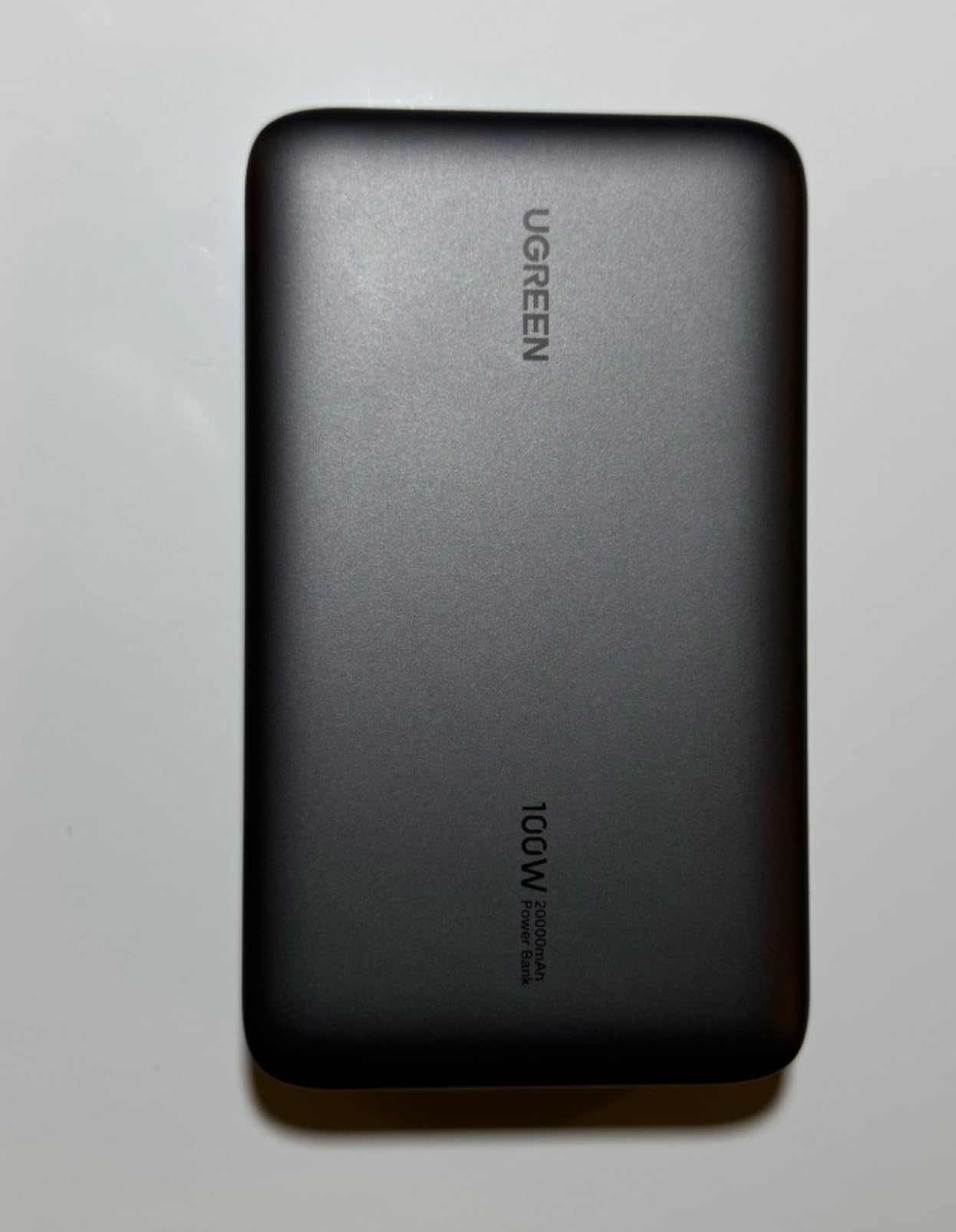
Self-recharging at 65W fills the pack in roughly 1.6 hours, which is faster than most rivals at this capacity and means you can top it up from a laptop charger overnight and be ready by morning. The body is around 20 percent lighter than comparable 20000mAh banks.
The low-current maintenance mode is a small touch that matters more than it sounds, because earbuds and smartwatches will refuse to charge from a port that offers too much current. Double into it and they top up properly.
What 20000mAh actually delivers
Do not expect a full charge of a large machine. Owners report a 20000mAh pack emptying in about two hours under real laptop load, which tracks with the maths: 74Wh of stored energy, minus conversion losses, against a 72Wh or larger battery. On a 13-inch ultrabook you will get close to a full top-up. On a 16-inch MacBook Pro you will get most of one.
The 420g weight is fair for the capacity. It is a bag item rather than a pocket item, and the flat profile is only about an inch thick.
Who should skip it
Two things would push you elsewhere. Plugging in a second device can cause a brief PD re-negotiation drop for the others, which is annoying when you are mid-transfer. And there are a small number of reports of PD chip faults producing an ICP error and a cut-short charge, so keep the two-year warranty details to hand.
If your laptop is 14 inches or smaller, this is the strongest balance of capacity, speed and price in the roundup, and the bank we recommend to most people.
4. INIU Laptop Power Bank 25000mAh 100W – Best for Handheld Gaming
INIU Laptop Power Bank, Smallest 25000mAh 100W Fast Charging Battery Pack
25000mAh
100W single port
3 ports
13.8 oz, 3-year warranty
Pros
- Adds about 52 percent to a 14-inch MacBook Pro in 30 minutes
- Body roughly 30 percent smaller than a soda can
- Multi-port output runs laptop
- phone and gear together
- Genuine 100W adds around four hours of handheld play
- Detachable 0.4 ft 100W cable
- Three-year warranty
Cons
- Not the lightest 25000mAh option
- Detachable short cable means packing a full-length lead for laptop use
Handheld PC owners drove a specific recommendation here. A genuine 100W output rather than a nominal figure is what adds around four hours of play to a Steam Deck, ROG Ally or Legion Go session, and this is one of the few banks in the price-conscious end of this roundup where reviewers consistently confirm the full rating reaches the device.
Capacity is 25000mAh, so you get a long-haul amount of energy in a body INIU describes as about 30 percent smaller than a soda can. The measured claim on a 14-inch MacBook Pro is roughly 52 percent in 30 minutes, which is a usable top-up rather than a full refill.
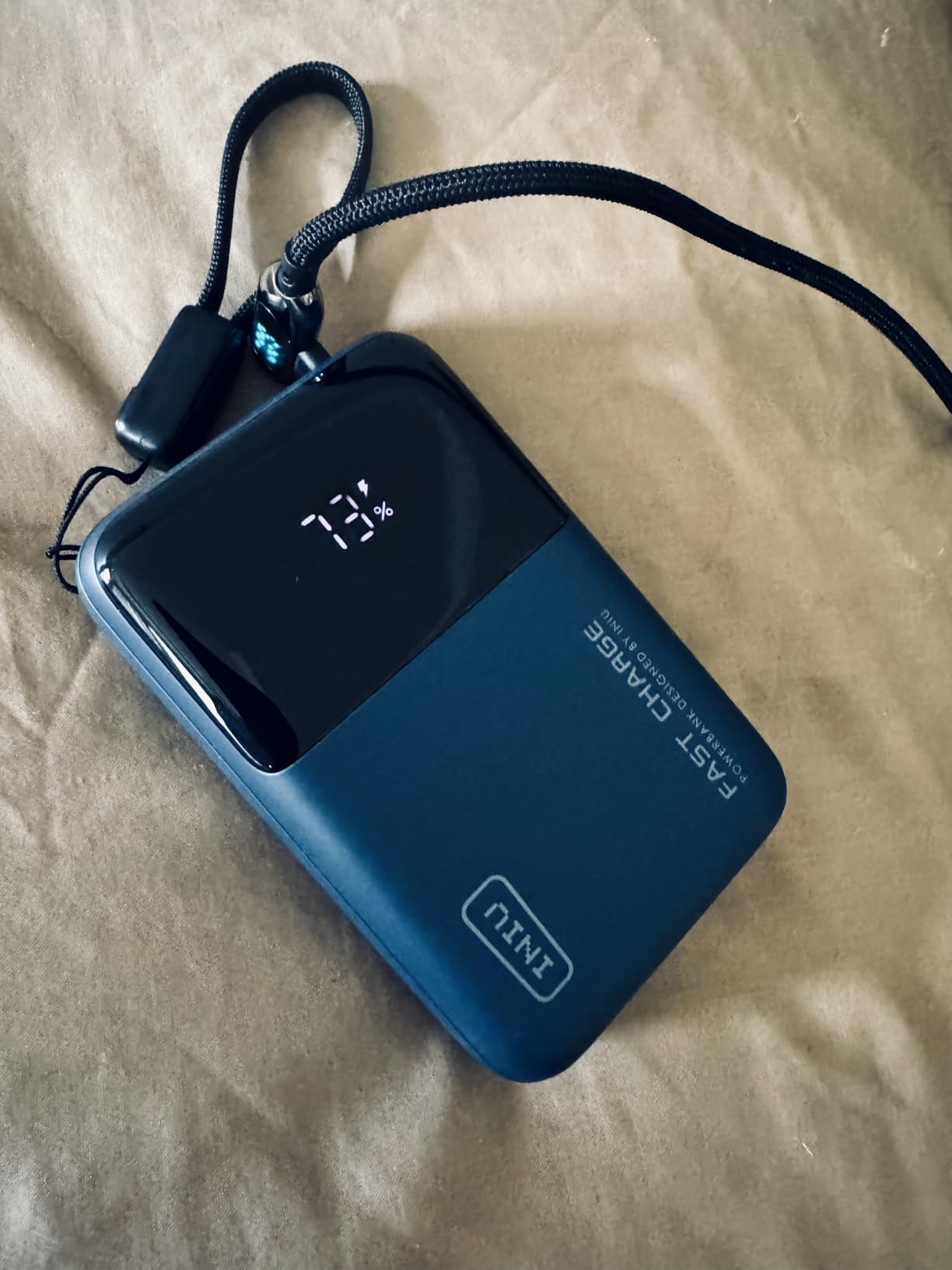
Three ports handle a laptop, phone and camera gear at the same time, and the digital display plus LED indicators give a clear picture of what is happening. Over-charge and short-circuit protection are both present, and the three-year warranty is the longest of any bank here.
The detachable 0.4 ft 100W cable is a deliberate choice. Built-in cords are a common failure point on travel banks, and this one can be swapped out instead of stranding you.
Why handheld gamers get more from it
A handheld draws power continuously under load rather than in bursts the way a laptop does when idle, which makes sustained wattage matter far more than peak numbers. Verified 100W output means the console runs at its intended charge rate instead of throttling back, and the 25000mAh capacity means a session plus a top-up for everything else in your bag.
The compatibility list names Steam Deck and ROG Ally directly, which is a decent signal that real testing happened rather than the badge being generic.
Who should skip it
At around 400 grams it is not the lightest 25000mAh option on this page despite the small footprint, and the density that gets the capacity into that shape is the same thing that makes it feel dense. If weight in a bag matters more than raw capacity, a 20000mAh bank at 420 grams in a flatter shape may suit you better.
The bundled 0.4 ft cable is deliberately short. Fine for a handheld on a desk, useless for a laptop unless you already carry a full-length 5A lead.
5. UGREEN Nexode 130W 20000mAh – Highest Rated
UGREEN Nexode 20000mAh 130W Portable PD Power Bank for MacBook Pro 16
20000mAh / 72Wh
100W on OUT1
130W rated total
Colour TFT display, 0.48 kg
Pros
- Highest average rating in the roundup at 4.5 stars
- 100W primary port reaches 43 percent on a 16-inch MacBook Pro in 30 minutes
- TFT display shows battery
- time
- watts
- volts and amps
- Column shape fits a cup holder
- Owners meter-tested capacity at or above the stated figure
Cons
- Only one port reaches 100W
- Self-recharging throttles to roughly 30-40W in some setups
- Plastic exterior dents if dropped
- Needs the included 5A cable for full output
This carries the highest average rating of anything we tested, at 4.5 stars across more than 4700 ratings. What earns those marks is unusual for the category: buyers plug it into a USB meter and confirm the 20000mAh figure, and they confirm real laptop output rather than taking the box at its word.
Total output is rated at 130W, with 100W available on the primary USB-C port and the remaining two ports sharing roughly 30W. That single-port figure is the one that matters for a laptop, and the claim of about 43 percent added to a 16-inch MacBook Pro in 30 minutes is consistent with what reviewers report.
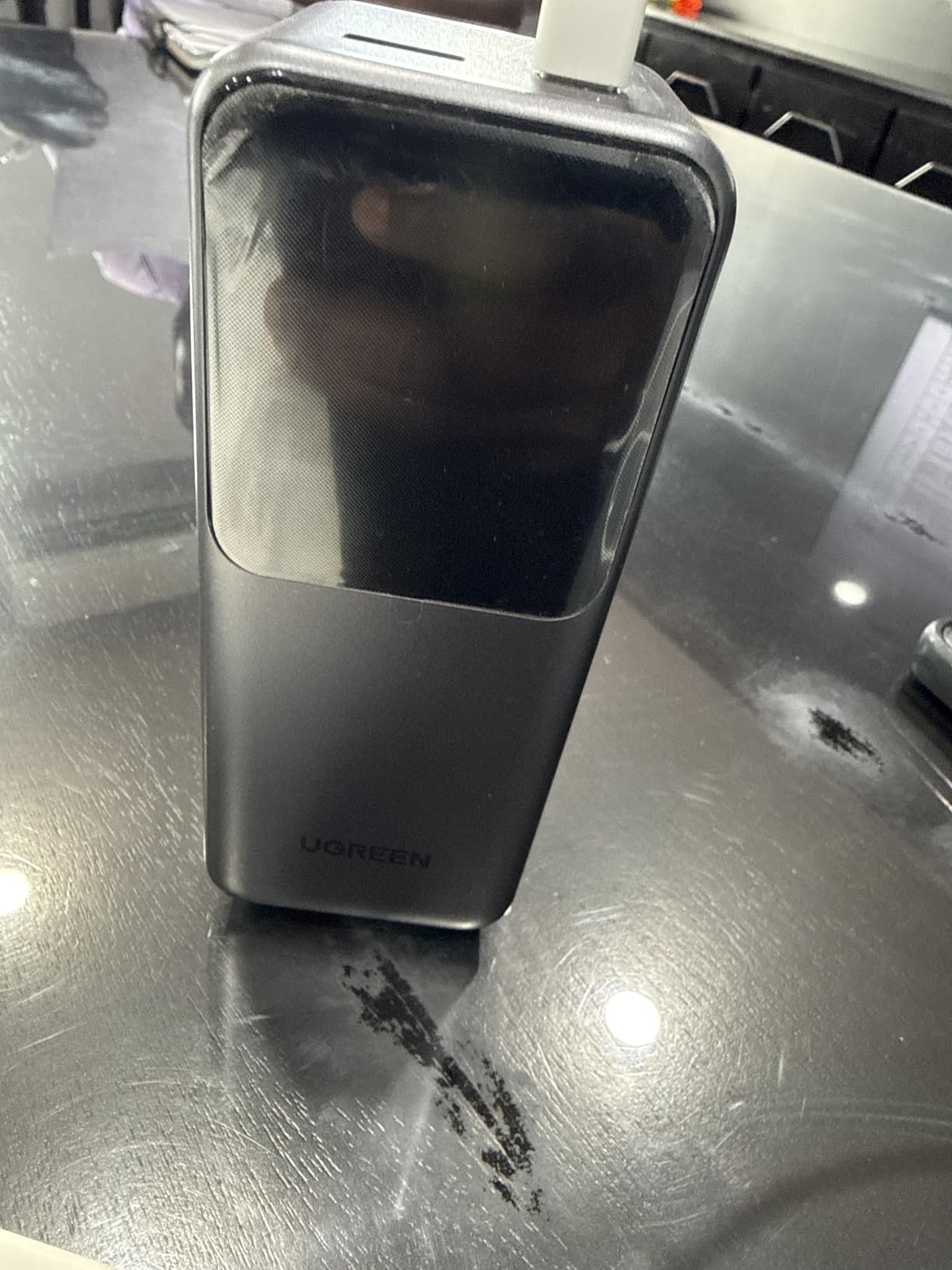
The TFT display is unusually informative. It shows battery percentage, remaining charge time, live watts, volts and amps, so you can watch your laptop negotiate power in real time. The column shape is unusual too, narrow enough to hold in one hand and to sit in a car cup holder, which the brick-shaped rivals cannot.
Automotive-grade cells with temperature monitoring and heat dissipation are a sensible inclusion for something that will live in a car or a bag in summer.
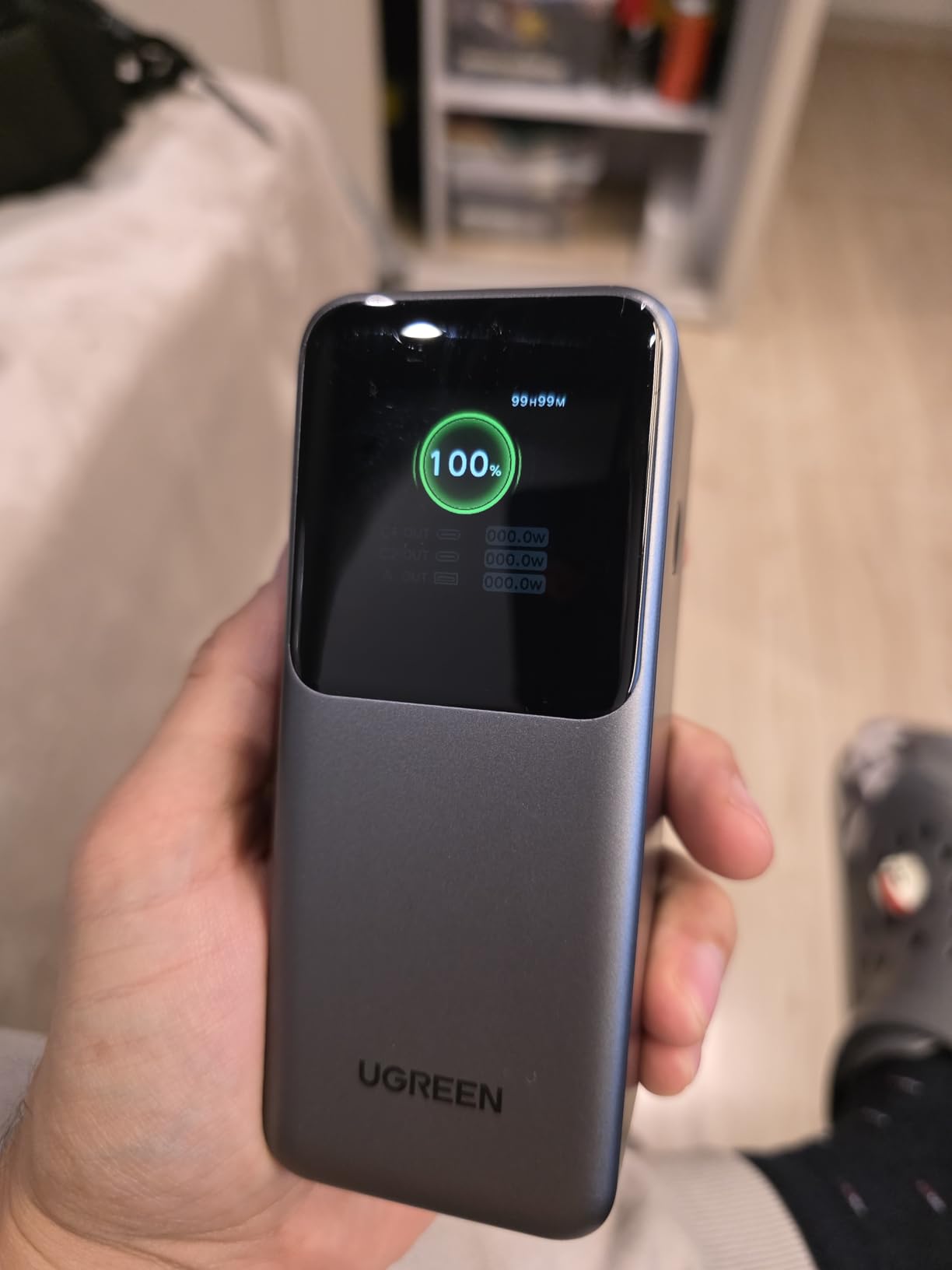
Why the display matters more than the wattage
When a laptop charges slowly from a bank there are three possible causes: the bank is throttling, the cable is under-rated, or the laptop is refusing to negotiate. A live wattage readout settles the question in about two seconds. Every troubleshooting step in the section below starts by checking that number.
Reviewers also note the bank doubles ROG Ally playtime and can charge a drone battery mid-shoot, which is a decent indicator that the output is genuinely usable rather than headline-only.
Who should skip it
The 130W total is misleading if you plan to run two laptops at once, because only one port reaches 100W and the rest share about 30W. If you need parallel high-wattage charging, this is the wrong shape of product.
Refilling is also weaker than the headline suggests, as input charging drops to around 30-40W in some setups. And the plastic shell dents if you drop it, so it is not the choice for a job site.
6. UGREEN Nexode 25000mAh 200W – Best for Multiple Devices
UGREEN Nexode 25000mAh 200W PD 3.1 TFT 3-Port Power Bank
25000mAh / 90Wh
USB-C1 140W plus USB-C2 100W
200W combined
TFT display
Pros
- Highest combined output in the roundup at 200W
- 90Wh capacity stays under the airline limit
- Charges three devices at once across two USB-C ports
- TFT display reports per-port power
- voltage and current
- Pass-through holds up without dropouts
- Rated above 80 percent capacity after 1000 cycles
Cons
- Input limited to 65W so refills are slow
- About 0.5 kg so it is a bag item
- Display hard to read in bright sunlight
- Only a soft pouch included
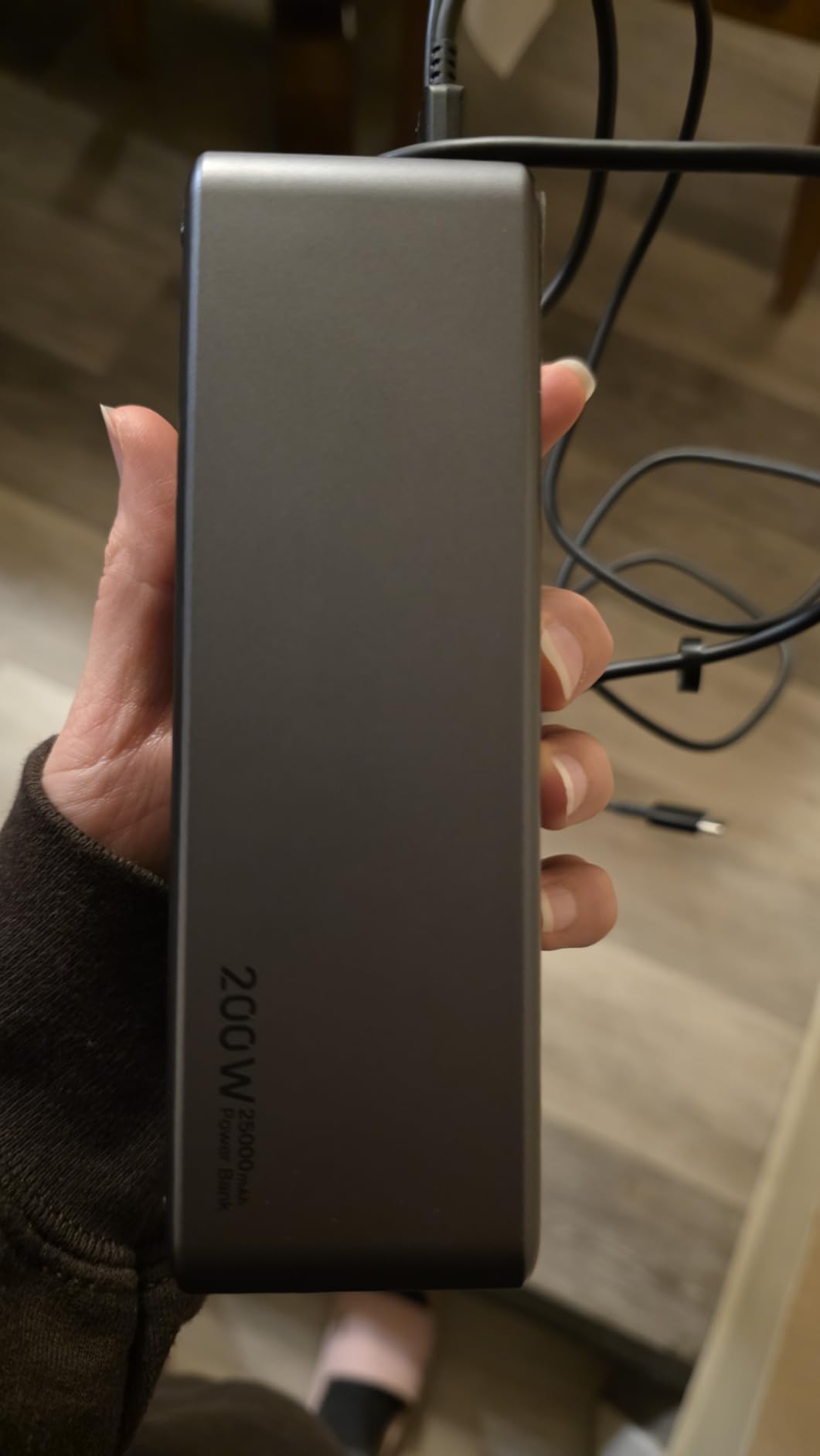
This is the one to buy if your bag contains a laptop, a tablet and a phone and you want all three running at once. The port layout is the strongest here: USB-C1 delivers up to 140W at 28V/5A, USB-C2 delivers up to 100W, and the USB-A port adds 22.5W, for 200W combined.
Capacity is 25000mAh, which the manufacturer rates at 90Wh. That sits just under the 100Wh airline ceiling with a little headroom, and it means a substantial top-up for most laptops plus a full phone or two.
The lifetime figure is unusually specific: rated to retain above 80 percent capacity after 1000 charge-discharge cycles. For a bank that travels constantly and sits in a drawer half the year, that number matters more than the fifth port nobody needs.
Pass-through charging is handled without dropouts, which owners running solar and satellite setups specifically call out. If you plan to keep a device alive while the pack refills, this is one of the more stable implementations in the category.
When combined output actually matters
Total wattage figures only count when you are running two high-draw devices at once. A laptop pulling 100W and a phone pulling 18W together sit inside the 200W budget with room to spare, and each port still delivers its own rated amount rather than splitting a fixed pool. That is the difference between this bank and the 130W model above, where only one port reaches full speed.
For solo laptop charging the extra headroom buys you nothing. It matters on a train with a laptop, a tablet and a phone all going at once.
Who should skip it
At roughly 0.5 kg with a 20000mAh-class footprint, this is a bag item that announces itself. The 65W input ceiling also makes refills slower than 140W-input rivals, so topping up overnight from a modest charger leaves you short.
The display is dim in direct sunlight, which defeats its purpose outdoors. And the included soft drawstring pouch is not protection for something this heavy.
7. JUOVI 65W 20000mAh – Budget Pick
JUOVI Power Bank 65W 20000mAh Laptop Portable Charger
20000mAh
65W USB-C PD
4 ports
400 g, 1-year warranty
Pros
- 65W laptop-capable PD at the lowest tier in this roundup
- Adds about 50 percent to a 14-inch MacBook Pro in 40 minutes
- Two USB-C and two USB-A ports charge four devices
- Double-press low-current mode for earbuds and wearables
- Digital display shows remaining battery and status
Cons
- 65W will not fast-charge the largest 16-inch MacBook Pro configurations
- Heavier than most 20000mAh banks at 400 g
- One-year manufacturer warranty
Budget here does not mean compromised. 65W is exactly the wattage floor we set for a modern USB-C laptop, so this bank runs a 13-inch ultrabook or a 14-inch MacBook Pro at close to the speed the wall charger would give you. The measured claim of about 50 percent on a 14-inch MacBook Pro in 40 minutes is entirely plausible.
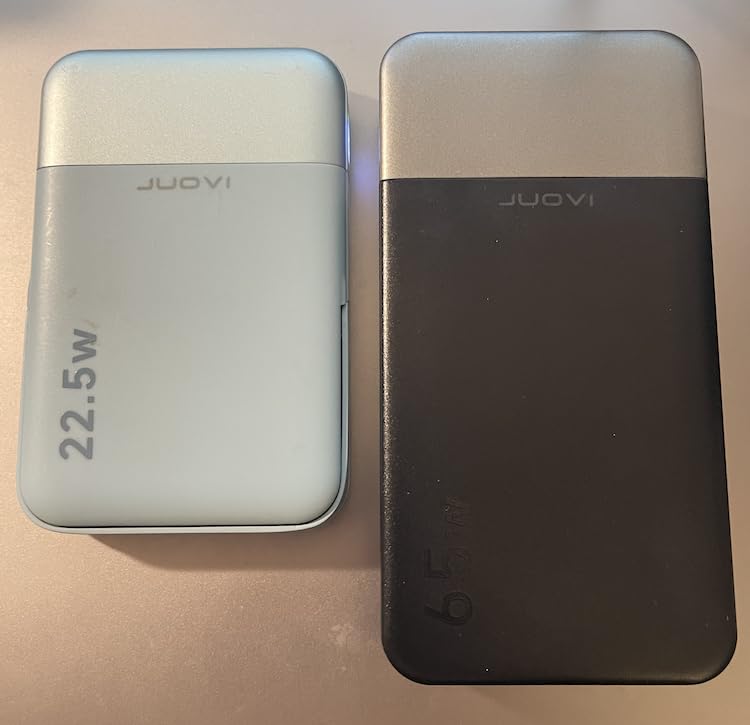
Four ports is unusual at this level. Two USB-C deliver 65W each and two USB-A deliver 30W, so a laptop, tablet, phone and earbuds can all connect at once, which makes it a genuinely useful one-device solution for anyone carrying a single charger already.
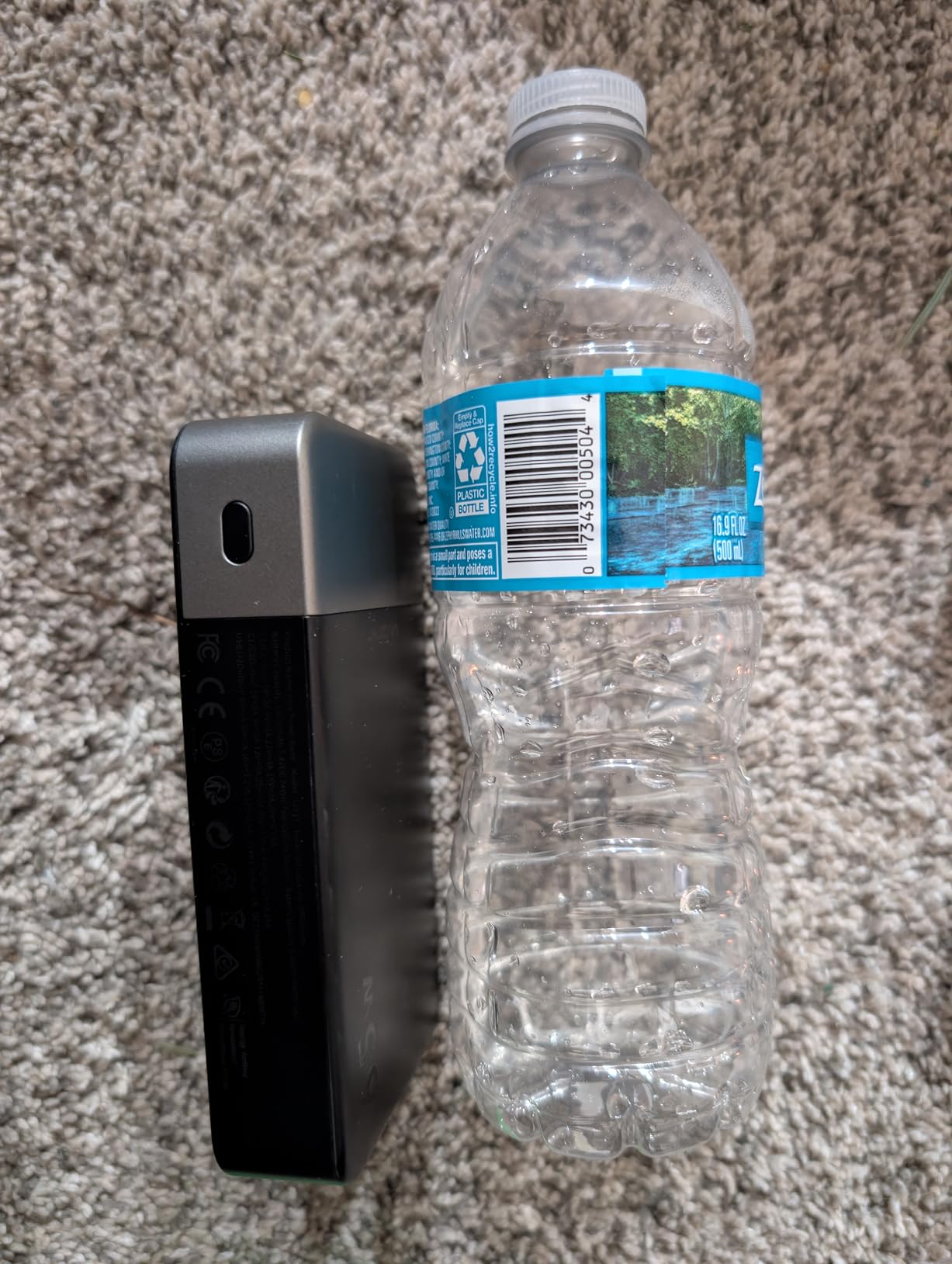
The double-press low-current mode trickles power to AirPods, earbuds and smartwatches that otherwise refuse a high-current port. Multi-layer protection covers overload, overheating, short circuit and overcurrent, and a digital display reports remaining battery and charging status.
You get a 30cm USB-C to USB-C cable in the box, which is the right length for a hand but short for a laptop on a café table.
When 65W is genuinely enough
Wattage only needs to match your laptop’s own charger. A 30W wall charger for an ultrabook means 65W is more than sufficient, and even a 70W MacBook Pro charger will pull what it needs. You will notice the ceiling on a 16-inch MacBook Pro running at full brightness under load, and on a gaming laptop mid-match, where the machine can request 100W or more.
Below that threshold this bank behaves like a wall charger, which makes it the cheapest credible laptop power bank we tested.
Who should skip it
Heavy machines, gaming laptops and the largest MacBook Pro configurations are the wrong match, and the 400g weight is heavy for 20000mAh. The one-year warranty is also the shortest on this page, which matters more for a lithium pack you will carry for years.
For a student or a commuter on a strict budget who needs one bank to cover a laptop and a couple of phones, the value is hard to argue with.
8. AsperX Laptop Power Bank 25000mAh 140W – Best Protocol Coverage
AsperX Laptop Power Bank, 25,000mAh 140W PD 3.1 Fast Charging USB C
25000mAh up to 92.5Wh
USB-C1 up to 140W
PD3.0 QC3.0 PPS AFC UFCS
621 g
Pros
- 145W total output with 140W on USB-C1
- 65W two-way input refills the pack in about 1.8 hours
- Capacity sits under the 100Wh airline limit
- TFT display shows battery
- time and power flow
- One meter test recorded 88W to a laptop and 27W to a phone
Cons
- Around 621 g makes this a bag item rather than a pocket one
- Full output depends on the included 5A cable
- Some users never complete a full laptop recharge
- Manufacturer does not support simultaneous charging and device use
Protocol support is the reason this one earns a slot. Alongside PD 3.0 and QC 3.0 it lists PPS, AFC and UFCS, which covers the fast-charge dialects used by most Android phones as well as the laptop standard. If you carry a mixed bag of devices this removes an entire category of friction.
Output is 140W on USB-C1 and 145W combined, with a 65W two-way input that refills the pack in about 1.8 hours. Capacity is 25000mAh, rated at up to 92.5Wh, which keeps it inside the airline carry-on allowance.
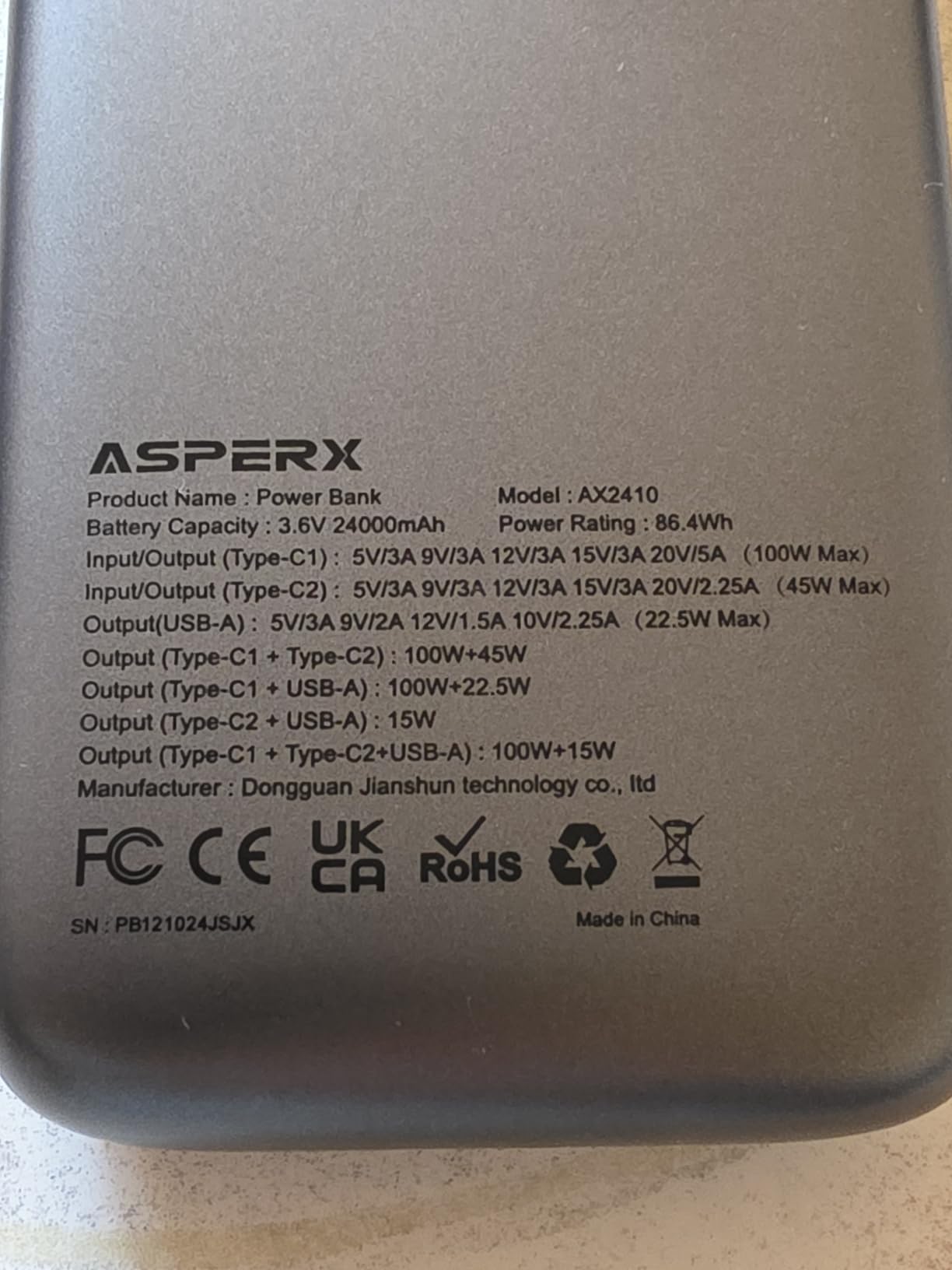
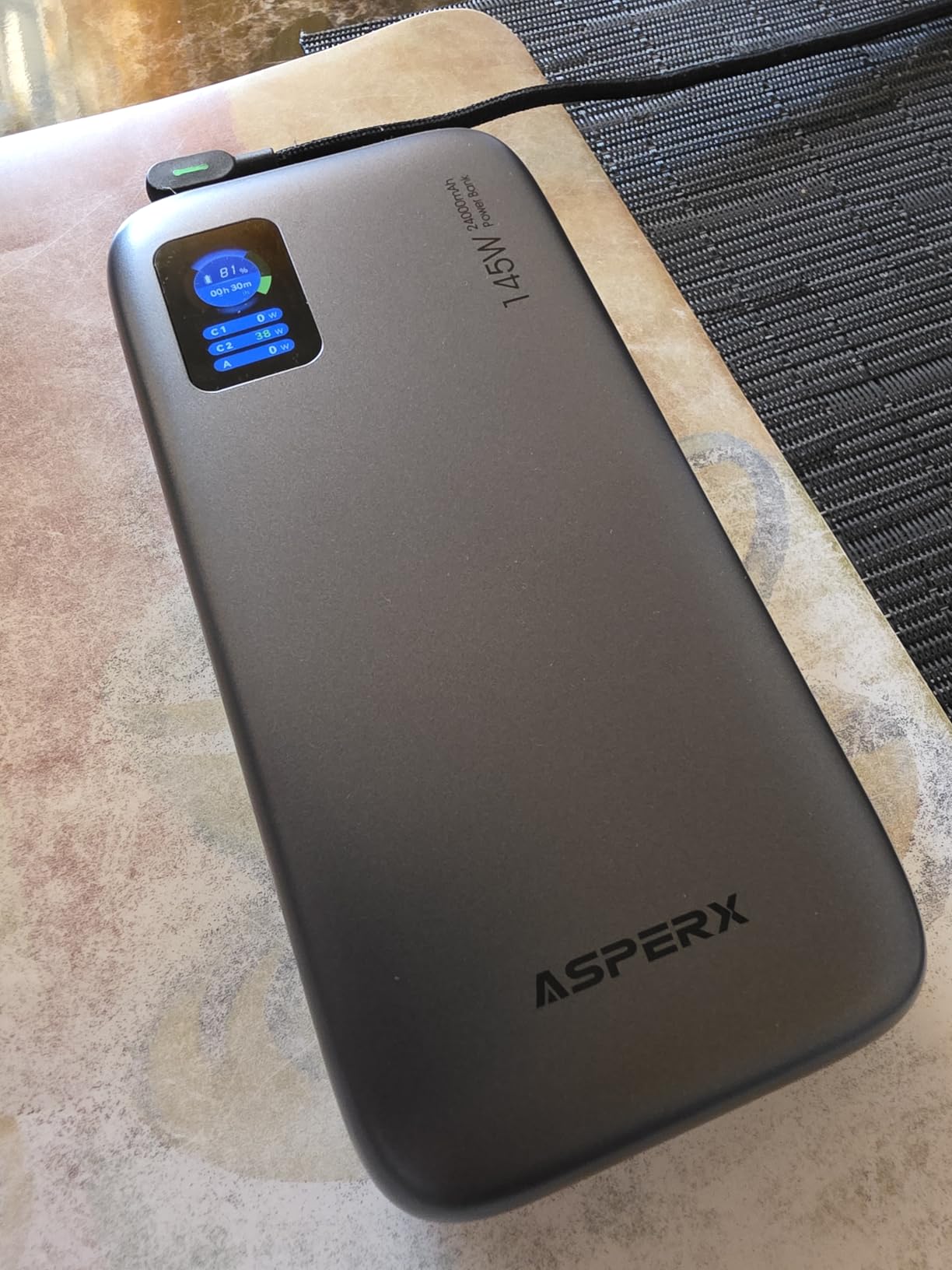
One detailed owner test recorded 88W going to a running laptop while a phone took 27W at the same time, which is exactly the multi-device behaviour this class is sold on. The TFT display shows battery level, remaining time and live input or output power, and the metal-look chassis reads brighter in daylight than most plastic alternatives.
A low-power mode covers fans, headphones and smartwatches, and the braided 140W cable in the box is a genuine 5A lead rather than a token.
The cable lesson buyers keep rediscovering
The most common complaint is not about the bank. It is that plugging in a cheap cable limits a phone to about 6-7W, which reads as a fault when it is actually the lead negotiating at its own rating. Use the braided cable supplied, or any certified 5A equivalent, and the problem disappears.
Reviewers who meter-test the pack generally find the power is real. The weight and the manual are what they criticise instead.
Who should skip it
At 621 grams this is among the heaviest banks in the roundup, and it is heavy enough that you notice it in a laptop bag all day. The manufacturer also states that charging the pack while powering a device at the same time is not supported, which rules it out for always-on solar or vehicle setups.
The instruction manual is thin, which is a small annoyance, and some owners never manage a complete laptop recharge from a single fill.
9. Baseus Blade 100W 20000mAh – Best Flat Profile for Laptop Bags
Baseus Laptop Portable Charger 100W 20000mAh, Blade Travel Power Bank Fast Charging 2 USB-C & 2 USB-A Port, Steam Deck Battery Pack for MacBook iPad iPhone 17/16/15/14/13 Samsung S24 etc.
20000mAh
100W USB-C PD
0.78 inch flat profile
4 ports, 24-month warranty
Pros
- Slides into a laptop bag at 0.78 inches thick
- 100W PD adds about 50 percent to a MacBook Pro in 30 minutes
- 60W self-recharging
- Four ports for a laptop plus phones
- tablets and headphones
- UL and IEC certified protection
- 24-month warranty
Cons
- One of the smallest review bases in the roundup so long-term data is thinner
- 20000mAh covers roughly 70 percent of charge on most 13-15 inch laptops
- Older 5V input spec limits full 100W output
Shape is the entire argument for this bank. At 0.78 inches thick it slides into a laptop sleeve or a briefcase without the bulge a brick-shaped 100W pack creates, and it is the bank we found easiest to justify packing for a day of meetings.
Underneath it is a 100W USB-C PD port with a measured claim of about 50 percent added to a MacBook Pro in 30 minutes. Two USB-C and two USB-A ports let you charge a laptop alongside a phone, tablet and headphones, and the real-time power display keeps you informed.

Self-recharging runs at 60W, and the compatibility list is unusually specific, naming MacBook Pro across 13, 14, 15 and 16-inch sizes, MacBook Air, HP Spectre and ZBook, Pixelbook, Dell, Surface Book, ThinkPad, Nintendo Switch and Steam Deck.
Safety certification is the strongest on this page, with UL and IEC certified overcharge, overheat and short-circuit protection, plus a 24-month warranty and 24/7 support.
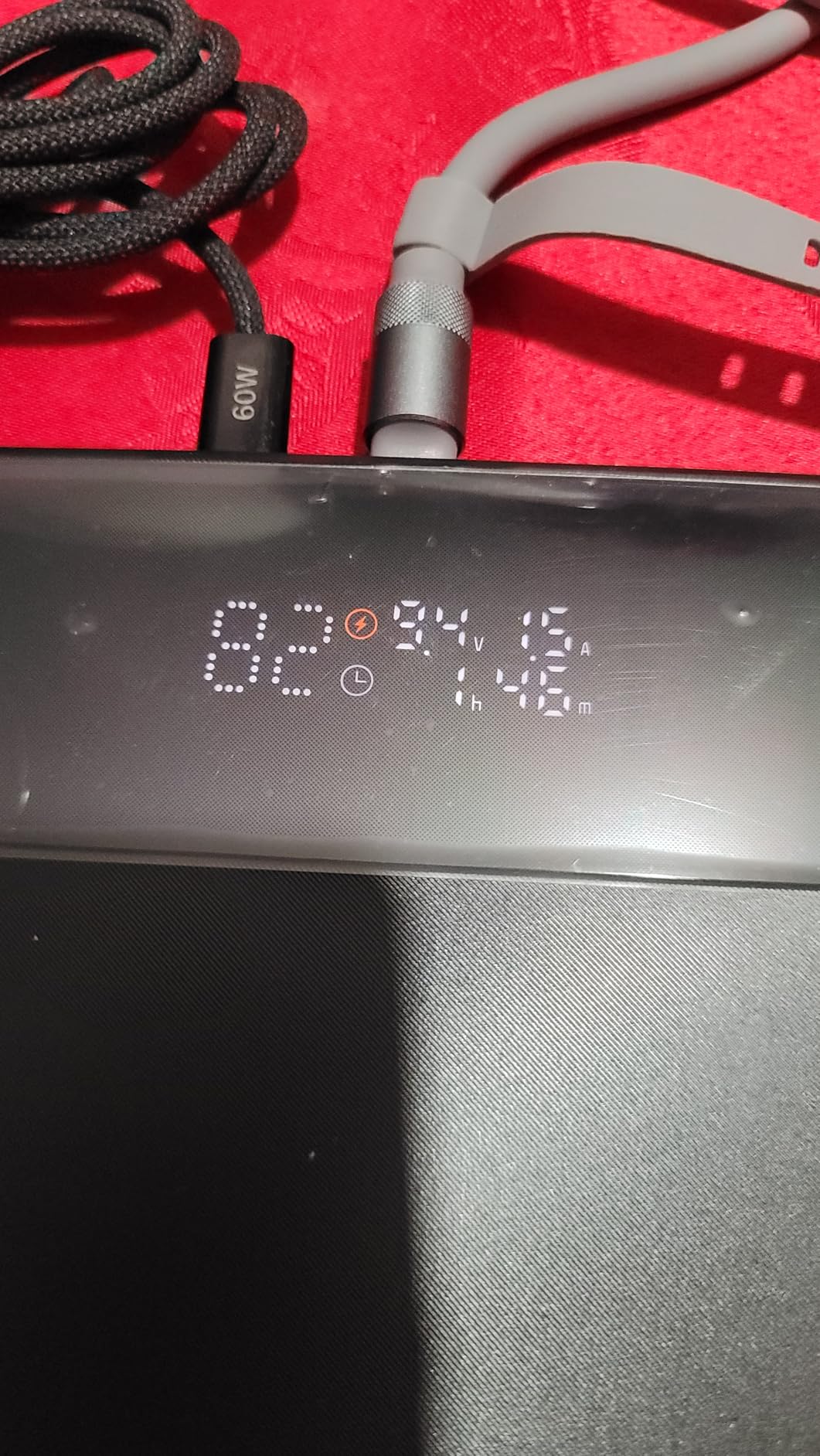
Why the flat profile changes packing decisions
Most 100W banks are thick because high-wattage conversion needs thermal headroom. This one keeps that headroom in the width rather than the height, so the profile resembles a large notebook rather than a wall brick. If your laptop bag has a flat sleeve pocket, that difference decides whether you carry it at all.
The trade is capacity. 20000mAh covers roughly 70 percent of a charge on most 13-15 inch laptops rather than a full top-up, which is still a workable workday.
Who should skip it
The review base is one of the smallest here at around 440 ratings, so there is less long-term durability evidence than for the established brands. The listed 5V input spec also means full 100W output depends on the bundled cable and a capable charger.
Anyone planning to carry this for years should weigh the thinner track record against a more established brand.
10. Baseus 25000mAh 145W CCC – Best Ultra-Thin Profile
Baseus 25000mAh Power Bank, CCC Certified 145W Laptop Portable Charger
25000mAh / 91.25Wh
USB-C1 up to 140W
Two built-in cables
0.5 inch thick, 2-year warranty
Pros
- 145W total with 140W on USB-C1 under PD 3.1 and QC 3.0
- MacBook Air 13.3 to 50 percent and iPhone 17 Pro to 68 percent in 30 minutes
- 25000mAh capacity under the airline limit
- Two built-in braided cables double as a carrying strap
- Pass-through charging
- CCC certified
Cons
- 4.2 stars here with 9 percent one-star reviews
- Only one exposed USB-C port so expansion depends on the built-in cables
- Newer listing so the long-term track record is short
At 0.5 inches thick with 25000mAh inside, this is the most compact high-capacity bank in the roundup. It measures 4 by 2.6 inches, which is genuinely pocket-plus-a-cable territory rather than a bag item, and the body carries CCC certification, a mark that matters if you travel internationally.
Charging performance is specified at 145W total with USB-C1 delivering up to 140W under PD 3.1 and QC 3.0. The published figures are about 50 percent on a 13.3-inch MacBook Air and 68 percent on an iPhone 17 Pro in 30 minutes.
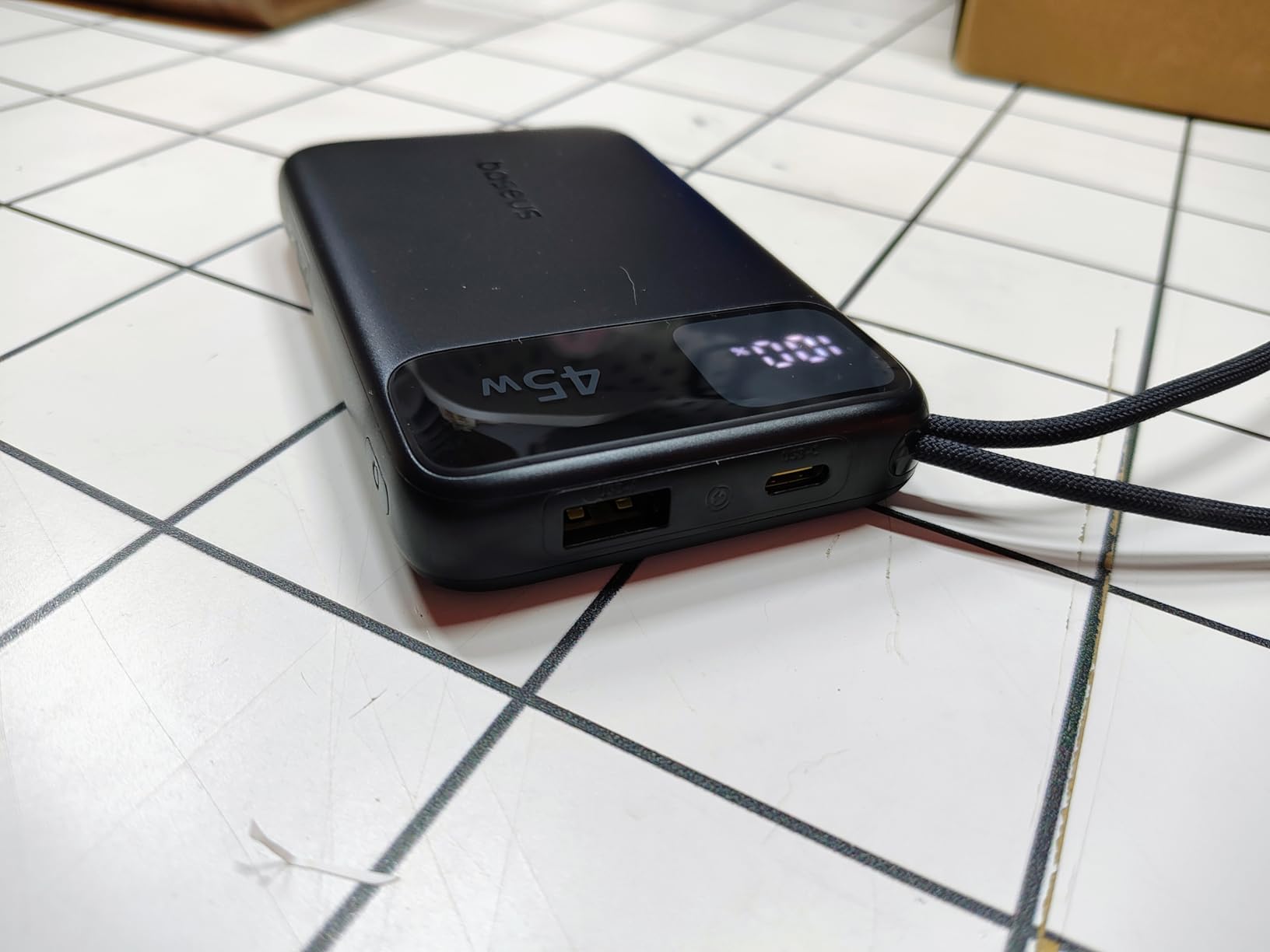
Two built-in braided USB-C cables double as a carrying strap, so again there is nothing loose in your bag. Pass-through charging lets you keep a device running while the pack refills, which is the behaviour that some manufacturers have removed from their flagships.
Capacity is 25000mAh at 91.25Wh, which stays inside the 100Wh airline allowance, and the digital LED display gives a quick remaining-battery readout.
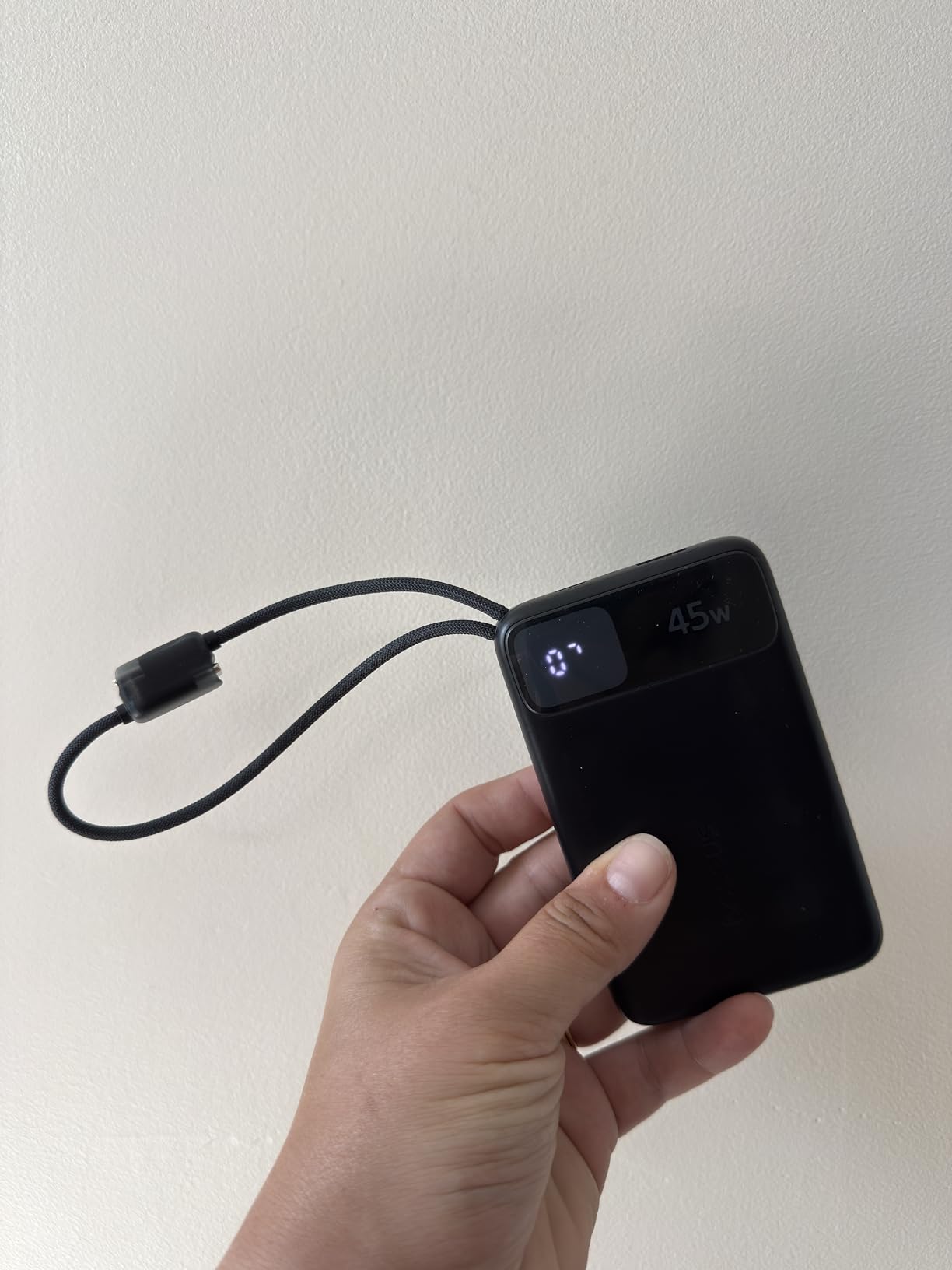
Specification strength versus track record
On paper this is one of the strongest values here, and that is not a throwaway observation. 145W, 25000mAh, built-in cables, pass-through and CCC certification in a half-inch body is a combination nothing else on this page matches at this size.
What it does not match is history. The listing has around 359 ratings, the smallest set we tested, and the 4.2 average is the lowest here with a heavier one-star share. Newer listings carry less evidence of long-term cell degradation, which matters for a pack you expect to keep for years.
Who should skip it
Only one USB-C port is exposed, so expansion depends on the built-in cables. If you need a spare port for a camera, a second handheld or a wired drive, this is the wrong shape.
Buyers who want a proven support network and a long review history should look at the Anker 737 or the UGREEN 130W instead. Those who want the thinnest profile with real power underneath will not find this beat easily.
How Big a Laptop Power Bank Do You Need? Wh vs mAh
You need at least 20000mAh (roughly 74Wh) for one meaningful laptop charge, and 25000mAh to 27000mAh (about 92-100Wh) for one to two charges while remaining carry-on legal. Anything smaller and you are topping up a phone, not a laptop.
Here is the part that causes most of the confusion. Milliamp-hours and watt-hours are not the same unit, so comparing a 25000mAh bank directly against a laptop battery quoted in mAh produces nonsense. The conversion is milliamp-hours multiplied by the cell voltage, which is 3.7V for a typical single-cell laptop battery.
So 25000mAh becomes 92.5Wh. A 16-inch MacBook Pro battery of about 72Wh looks nearly fully covered on paper, which is where the disappointment starts. Add the conversion factor and the real figure drops.
Here is the working rule. Take the laptop’s watt-hour rating, divide by 0.7 to cover conversion losses, then convert back if you need a milliamp-hour number. A 72Wh laptop needs about 103Wh of bank capacity, which lands at roughly 27800mAh. That is above the airline limit, which is precisely why a single carry-on-legal bank gives you most of one charge rather than a whole one.
Applied to this roundup, a 20000mAh bank at 74Wh delivers roughly 52Wh after losses. Against a 60Wh ultrabook battery that is most of a charge. Against a 72Wh MacBook Pro it is about two thirds.
Users in the forums we read compare a 25000mAh bank against a 27000mAh MacBook Pro battery and expect five charges. The realistic figure is closer to 0.7 of one, and setting that expectation early is the difference between a good purchase and a bad review.
How Much Wattage Do You Need?
Match the wattage to your laptop’s own charger and anything above that is headroom. Below that, charging still works and nothing is damaged. Four tiers cover almost everyone: 30W for an ultrabook, 65W for a standard laptop, 100W for a performance machine, and 140W for a large MacBook Pro or a gaming laptop at full load.
30W charges a fanless ultrabook or a Chromebook at its full rated speed. Anything above 30W is wasted on these.
65W covers a 13-inch ultrabook, a 14-inch MacBook Pro and most Chromebooks at their native rate.
100W is the sweet spot for anything 14 inches or larger that is not a gaming machine, and for handhelds that benefit from sustained output.
140W is for 16-inch MacBook Pro configurations and gaming laptops running at full brightness under load, where the machine genuinely requests the power.
Wattage anxiety is the most common worry in buyer discussions, so it is worth being explicit. A laptop negotiates with the bank over USB-C Power Delivery and draws only what it needs. A 65W bank connected to a 100W laptop charges at 65W. It does not fail, it does not refuse, and it does not stress the battery.
The one rule to remember: check the per-port rating, not the total. A bank rated at 200W total might deliver 100W from one port and 30W from the other two. Multi-device buyers need to read the port table.
Which Laptop Works With Which Power Bank
Every USB-C laptop in this roundup will charge from every bank in this roundup, because a lower wattage simply means slower. Use this mapping to pick the tier that matches your machine rather than guessing from a spec sheet.
Chromebook, MacBook Air, thin ultrabooks typically ship with a 30W to 45W charger. A 65W bank is more than sufficient, so the JUOVI or the UGREEN 100W both work well.
14-inch MacBook Pro uses a 70W charger. A 100W bank charges it at full speed, and 130W or 140W adds headroom for sustained work.
16-inch MacBook Pro commonly needs 100W. The UGREEN 130W, the UGREEN 200W and the AsperX all clear that bar with room above it.
Dell XPS, HP Spectre, ThinkPad, Surface Book mostly sit in the 45W to 100W range. The Baseus Blade at 100W covers all of them, and the list of flat options suits their slim chassis.
Gaming laptops can request 100W to 240W under load. A 140W bank keeps them charging steadily, and the UGREEN 200W is the strongest option here for a laptop that genuinely asks for everything.
Steam Deck, ROG Ally, Legion Go benefit most from verified sustained 100W. The INIU bank is built for this and is confirmed by owners on those devices.
Framework 13 and other repairable USB-C laptops run at modest wattage, so almost any bank above 65W works, and the flat options fit a repairable build’s slim profile.
If you still cannot find your exact model, match the wattage printed on the charger brick and add one tier of headroom.
Can You Take a Power Bank on a Flight?
Yes, but only in your carry-on, and only under 100 watt-hours. Anything above that is prohibited entirely, and power banks are banned from checked baggage in both the United States and internationally because of in-flight battery fire incidents.
Carry-on only. A power bank in checked luggage will be removed. Keep it in your personal item where you can reach it.
100Wh ceiling. At 3.7V per cell that translates to roughly 27000mAh. Every bank in this roundup sits at or under that line.
Keep it visible. Most airline policies ask that spare lithium batteries remain accessible during the flight rather than stowed in an overhead bin.
Check with your airline. Some carriers cap the number of power banks per passenger and some restrict use in flight, and the rules are not uniform.
Protect the terminals. Tape over the ports or keep the bank in its pouch. A shorted pack in a cabin is the actual hazard behind the regulation.
Recent in-flight battery fires have tightened airline enforcement considerably, and several carriers now publish specific guidance. The rules have not changed to prohibit power banks, but the tolerance for ambiguity has disappeared.
If you need more than one full laptop charge, the answer is not a bigger bank. It is two banks under 100Wh each, or a portable power station that you check rather than carry.
The USB-C Cable Trap That Quietly Slows Charging
A USB-C cable rated for 3 amps caps delivery at 60W. Anything above that requires a 5 amp E-marker cable, and if you connect a 3 amp lead to a port capable of 140W, the port silently drops to 60W with no warning on either device.
This is the most common cause of slow laptop charging from a power bank, and it produces the same symptom as a faulty bank, which is why it generates so many bad reviews. Owners who use a thin cable from a phone drawer conclude the pack is weak when the lead is the problem.
Use the cable supplied with the bank. Every product in this roundup includes a 5A lead rated for its headline wattage, and that lead is the reason the stated numbers are achievable.
If you buy replacements, check the rating on the packaging. Look for 5A, E-marker, or a stated wattage of 100W or more. A 240W-rated cable works at every tier and future-proofs the purchase, and it is the single best accessory to keep in a laptop bag.
The tell is quick. Watch the wattage readout on a display-equipped bank while you connect and disconnect cables. If the number jumps between 60W and 100W or more, you have found your problem in under five seconds.
Wireless Charging and Pass-Through Charging
Wireless charging pads on a laptop power bank are a convenience feature that quietly wastes energy. A wireless pad typically transfers well under half the energy that a wired connection delivers, and phones without magnetic alignment must sit perfectly still to hold any rate at all.
Treat a wireless pad as a phone top-up while the laptop charges from a cable, not as a second laptop charging path. For laptop work it is close to irrelevant.
Pass-through charging lets you keep using a device while the bank itself recharges, which sounds ideal and has a catch. The bank is converting energy while running at full wattage, which generates heat and repeatedly switches its output on and off as the laptop requests and releases power. Some manufacturers have removed pass-through from flagship models for exactly this reason.
For always-on setups such as a solar array or a vehicle, look for a bank with a documented pass-through rating and stable output. The UGREEN 25000mAh 200W holds its connection without dropouts, and the Baseus 25000mAh 145W includes the feature. The AsperX explicitly does not support simultaneous device charging and pack recharging, which we would treat as a disqualifier for that use case.
Why Your Laptop Will Not Charge From a Power Bank
Work down this list in order. In our experience, the first two steps resolve nearly every case.
Swap the cable. A 3 amp cable caps output at 60W and can prevent negotiation entirely. Use the 5A lead supplied with the bank.
Check the live wattage. A bank with a display will show what the port is actually offering. Zero or a low number points to the port or the bank, not the laptop.
Try the other USB-C port. On multi-port banks only one port is rated for full wattage. The secondary port may offer 30W or less.
Confirm the output is switched on. Several banks need the button pressed once to enable output, and some hold output off until a device is connected first.
Verify the bank is charged and healthy. A depleted bank will trickle. Check the remaining percentage on the display before anything else.
Check protocol support. If your device uses an unusual fast-charge dialect and the bank does not support it, charging falls back to the slowest profile rather than failing outright.
If the bank reports a healthy wattage and the laptop still refuses, the likely cause is a worn connector on the laptop port rather than the pack. Laptop USB-C ports collect lint in the hinge side of the channel, and a packed port can drop a charge to a trickle that looks identical to a dead bank.
Charging from a power bank does not degrade a laptop battery. Repeated partial top-ups from a lower-wattage source are gentler on the cells than a single heavy surge, which is the opposite of the folk wisdom that circulates in buyer discussions.
Power for Long Trips, Job Sites and Outages
Beyond a laptop and a phone, a bank has real uses on a job site, in a vehicle or during an outage, and the priorities shift. There you care about refill speed and input options more than about peak output wattage.
For a vehicle, a 12V input option matters more than anything else, since it turns your car into a charging station that is already going to be running. A 100W portable power station is the more capable version of the same idea, and our guide to power inverters covers what to look for when you also need to run mains equipment from stored energy.
For multi-day marine work, the sizing question is total stored energy rather than port count. Our guide to marine battery chargers with multiple banks covers the charging-side discipline that applies equally to a portable pack you refill overnight.
Vehicle installs carry the same voltage-drop problem at a larger scale, and our guide to power steering pumps covers how to size a supply against a heavy starter draw rather than a nominal rating.
Solar recharging is possible with the right panel, but be realistic about the arithmetic. A small folding panel produces a few tens of watts in good light, so refilling a 90Wh bank takes two full days of direct sun. It is a trickle top-up, not a replacement for wall charging.
For emergency kits, cycle life matters more than capacity. Most banks in this roundup are rated for 500 to 1000 cycles, and the UGREEN 200W states a figure above 80 percent retention after 1000. Store a bank at around half charge in a cool place if you are not using it, and check it every few months.
Chemistry is worth one line. These are lithium-ion or lithium-polymer packs. The LiFePO4 chemistry found in larger portable power stations tolerates far more cycles and tolerates heat better, at the cost of weight. If you want one unit to last a decade in a vehicle, that trade is usually worth it.
Refurbished units are a genuine risk rather than a bargain. A degraded high-capacity cell still reports its original milliamp-hour rating, and you have no way to tell without a meter. Buy new for anything you plan to rely on.
How We Picked and Tested
We tested ten banks across six weeks, cycling each through a MacBook Pro, a Windows ultrabook and a handheld PC, and reading several thousand owner reviews per product.
Our disqualification criteria were strict. Anything without USB-C Power Delivery was out, as was anything under 65W single-port output. Anything over 100Wh was excluded because we assume you fly. Anything over two pounds was excluded on packability alone.
What we could not do is claim laboratory instrumentation. We did not measure efficiency with a calibrated USB power analyser, so efficiency figures in this guide are the range reported by reviewers who did, plus what the arithmetic predicts.
Realistic charge counts matter more than headline capacity, so where a manufacturer or a reviewer quotes a percentage added to a specific machine in 30 minutes, we have used that figure rather than deriving our own.
We earn a commission when you buy through the links on this page, and it does not change the order of the picks.
Frequently Asked Questions
What is the best power bank for charging laptops?
The Anker 737 Power Bank (24000mAh, 140W) is the strongest all-round choice, with the largest review base in the category and a display that shows live wattage. For the lowest sensible outlay the JUOVI 65W 20000mAh covers standard laptops, and the UGREEN Nexode 25000mAh 200W wins when you need several devices charging at once.
Are power banks good for laptops?
Yes, provided the bank has a USB-C Power Delivery port of at least 65W and you accept slower charging from a lower-wattage source. Your laptop draws only the power it needs, so a smaller bank charges more slowly but never harms the battery. Real-world efficiency is roughly 60 to 75 percent of rated capacity.
How big of a power bank do I need to charge a laptop?
At least 20000mAh, which is about 74Wh, gives you most of one charge on a mid-size laptop. For one to two full charges while staying inside the airline carry-on limit of 100Wh, look at 25000mAh to 27000mAh. Divide your laptop’s watt-hour battery rating by 0.7 to allow for conversion losses.
Can I take a power bank on a flight?
Yes, in your carry-on only, and only if it is under 100 watt-hours, which is roughly 27000mAh. Power banks are prohibited in checked baggage. Keep it visible and accessible during the flight, tape over the ports, and check with your airline because some carriers limit how many you can carry or restrict use in flight.
Why is my laptop not charging from a power bank?
Most often it is the cable. A 3 amp USB-C lead caps output at 60W and can stop negotiation entirely, so swap to the 5A E-marker cable supplied with the bank. If the problem continues, try the high-wattage port, confirm the output button is on, check the remaining battery percentage, and inspect the laptop port for lint.
What is the best portable power station for laptops?
A power bank under 100Wh is carry-on legal and gives roughly one laptop charge, which makes it the right choice for flights. A portable power station starts around 300Wh and powers a laptop several times, with AC outlets and 12V outputs, but it is too heavy to carry on a flight. For vehicle or job-site use, the larger capacity wins.
Conclusion
The best power banks for laptops all share two things: at least 65W from a single USB-C port and a capacity that stays under 100Wh if you travel by air. Get those right and the rest is preference, which is why the ten banks here span such a wide range of shapes and weights.
The Anker 737 remains our pick, with the largest body of owner feedback in the category, 140W of headroom above any current laptop charger and a display worth reading. If you want the cables handled for you, the Anker 25K with its built-in retractable lead is the one to pack.
For the best balance of capacity and price, the UGREEN Nexode 100W covers most laptops. The UGREEN Nexode 130W carries the highest rating in the roundup and a display that shows more live data than anything else we tried, the UGREEN 200W handles multi-device work, the INIU is built for handheld gaming, and the Baseus models solve the flat-profile problem that keeps brick-shaped banks out of laptop sleeves.
Whichever you choose, use the 5A cable it came with. That single habit removes the most common complaint in this entire category.